
addy.io now blocks tracking pixels
I'm pleased to announce a new privacy feature for addy.io: Block Tracking Pixels. On Lite and Pro plans, addy.io can now remove known tracking pixels from forwarded HTML emails before they reach your inbox, so senders cannot tell when you opened a message.
The setting is enabled by default. If you already have a Lite or Pro subscription, it is working on new forwards without you needing to change anything.
What is a tracking pixel?
Some emails include tiny hidden images, often 1 pixel by 1 pixel. When your email app loads the image, the sender's server can record that you opened the message. Newsletters and marketing tools use this a lot.
addy.io now strips matching images from the HTML as the email is forwarded. Normal images such as photos, logos, and typical social icons are kept.
How you will see it
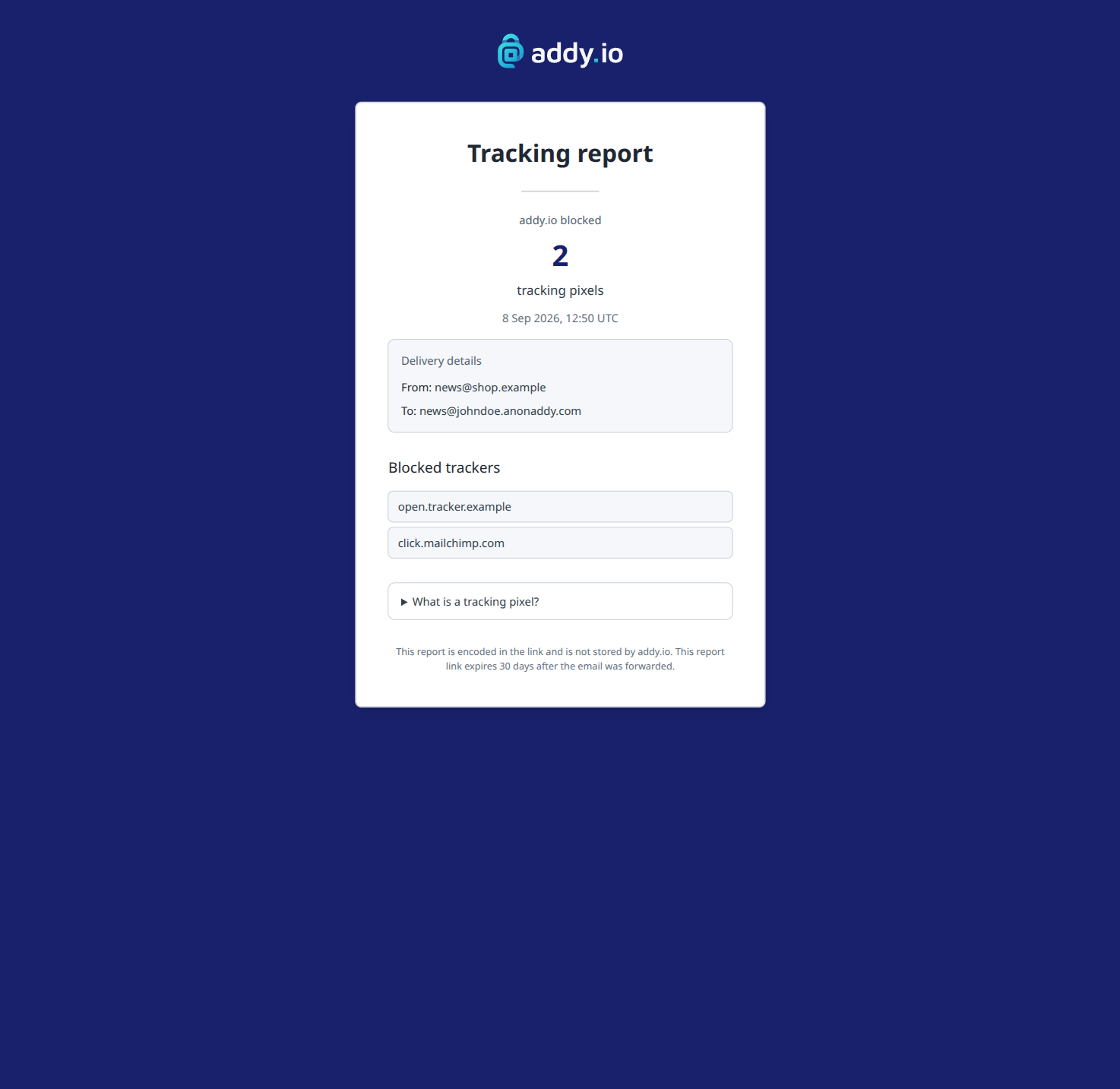
If any pixels are removed, the forwarded email banner includes a line such as Blocked 2 tracking pixels. View report.
The report shows how many pixels were blocked, the From and To addresses, and which tracker hosts were removed. The report data is encoded in the link. It is not stored in the addy.io database, and the link expires 30 days after the email was forwarded.
On Lite and Pro you will also see a Tracking Pixels Blocked Last 7 Days chart on the dashboard.
Lite and Pro
Block Tracking Pixels is available on Lite and Pro. It is not included on the Free plan. Duo and Family members get it as part of Pro.
You can turn it off in Settings > General if you would rather receive emails unchanged.
For what is removed, what is not (including encrypted forwards), and how to change the setting, see Blocking tracking pixels in forwarded emails in the Help Centre.
Compare plans on the home page pricing section.
Feedback and suggestions
If you have any feedback or suggestions please just get in touch and make sure to sign up to the newsletter if you'd like to receive updates on new features!
Thank you for using addy.io.