
When Block Tracking Pixels is enabled, addy.io removes known tracking pixels from forwarded HTML emails before they reach your inbox. This helps stop senders from knowing when you opened a message. This article explains what tracking pixels are, how to turn the setting on or off, what addy.io removes, and how to read the report.
Block Tracking Pixels is available on Lite and Pro. It is not included on the Free plan. The setting is enabled by default.
What is a tracking pixel?
Some emails include tiny hidden images, often 1 pixel by 1 pixel. When your email app loads the image, the sender's server can record that you opened the message. These images are called tracking pixels.
addy.io removes matching images from the HTML before the email is forwarded to you, so that open signal is not sent.
How to enable or disable Block Tracking Pixels
- Log in and click Settings in the navigation bar.
- Stay on the General tab.
- Scroll to Block Tracking Pixels.
- Select Enabled or Disabled.
- Click Update Block Tracking Pixels.
On the Free plan the option is locked. You will see Enabled (Subscribe To Unlock) and a Subscribe To Unlock button instead of the update button. The setting can look enabled, but addy.io does not remove tracking pixels until you have a Lite or Pro subscription. See pricing and Why are some features paid only?.
The setting applies to all of your aliases. There is no per-alias control.
What addy.io removes
addy.io scans the HTML of a forwarded email and removes matching <img> tags when:
- The image is from a known tracker domain (for example open-tracking hosts used by mailing tools), or
- The image is very small (2x2 pixels or smaller) and looks like an open tracker.
Normal images are kept. That includes photos, logos, and typical social icons.
If addy.io blocked any pixels, the forwarded email banner includes a line such as Blocked 2 tracking pixels. View report.
The tracking report
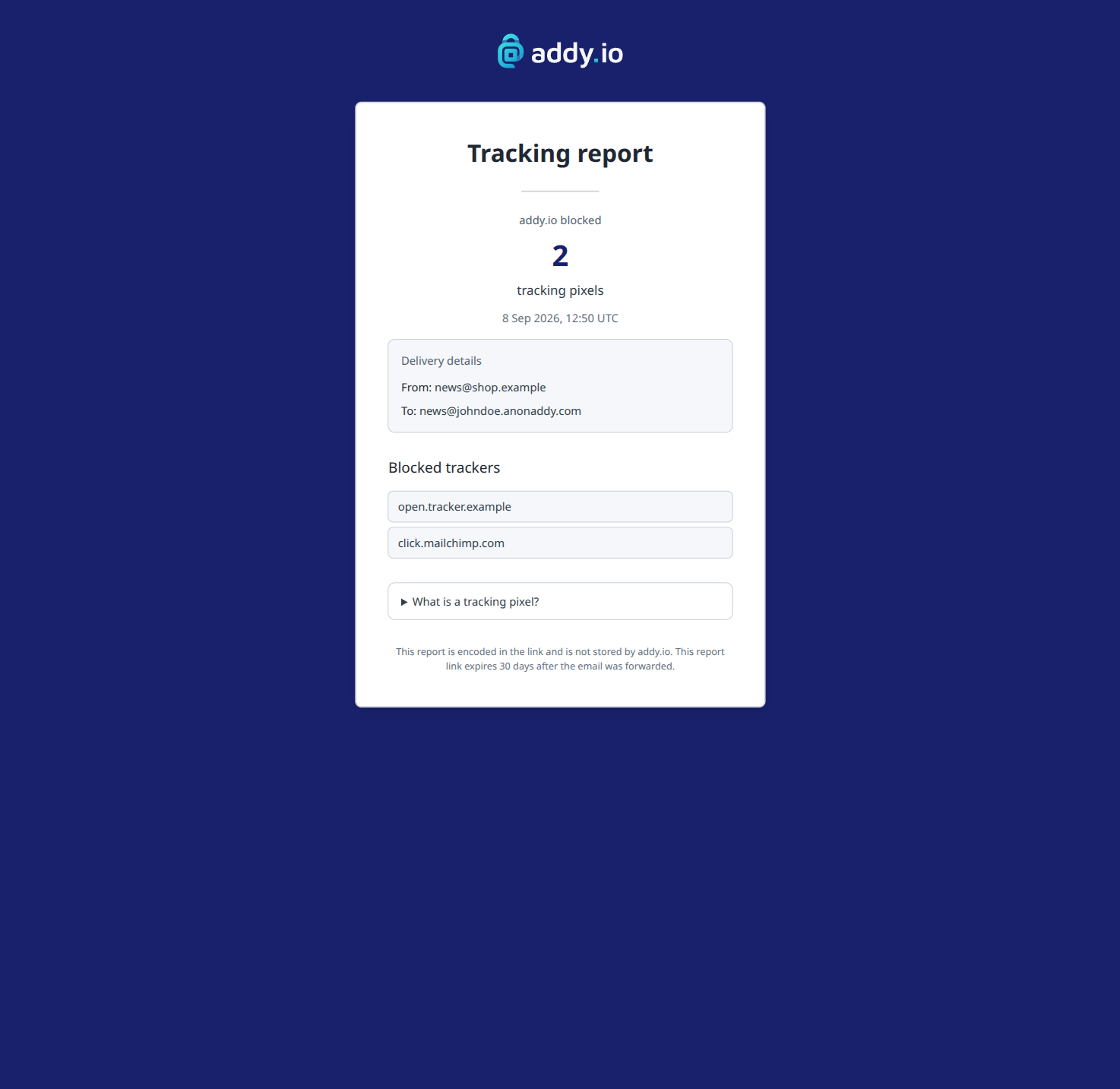
Click View report in the banner to open a signed report page for that email. The report shows:
- How many tracking pixels were blocked
- The date the email was forwarded
- From and To addresses
- A list of tracker hosts that were removed
The report data is encoded in the link. addy.io does not store the report in the database. The link expires 30 days after the email was forwarded.
If a message had many different tracker hosts, the report may show a subset of hosts. The total count is still shown.
Dashboard chart
On Lite and Pro, the dashboard includes a Tracking Pixels Blocked Last 7 Days chart. Free accounts see the chart in a locked state with a link to subscribe.
What is not removed
Block Tracking Pixels does not run in these cases:
- Free plan - the setting is shown, but images are not stripped.
- Encrypted forwards - if encryption is enabled for the recipient, addy.io does not change the encrypted content.
- Plain-text emails - there is no HTML image to remove.
- Replies and send from alias - stripping applies to forwards only. See Replying to email using an alias and Sending email from an alias.
A tracker may still get through if it:
- Does not use an image (for example link tracking in URLs)
- Has no width or height set, and is not on a known tracker domain
- Is larger than 2x2 pixels on a host that addy.io does not treat as a tracker
In rare cases a very small image (2x2 or smaller) from an unknown sender could be removed even if it is not a tracker.
Please Note: This feature is not retroactive. It only affects emails forwarded after the setting is active on a Lite or Pro account.