
This article gives an overview of the addy.io web application so you can find your way around after logging in. The main areas; aliases, recipients, domains, usernames, rules, and account settings are available from the navigation bar.
After you log in
When you sign in at https://app.addy.io, you are taken to your dashboard. Use the navigation bar shown in dark blue on the left hand side of the screenshot below to move between pages.
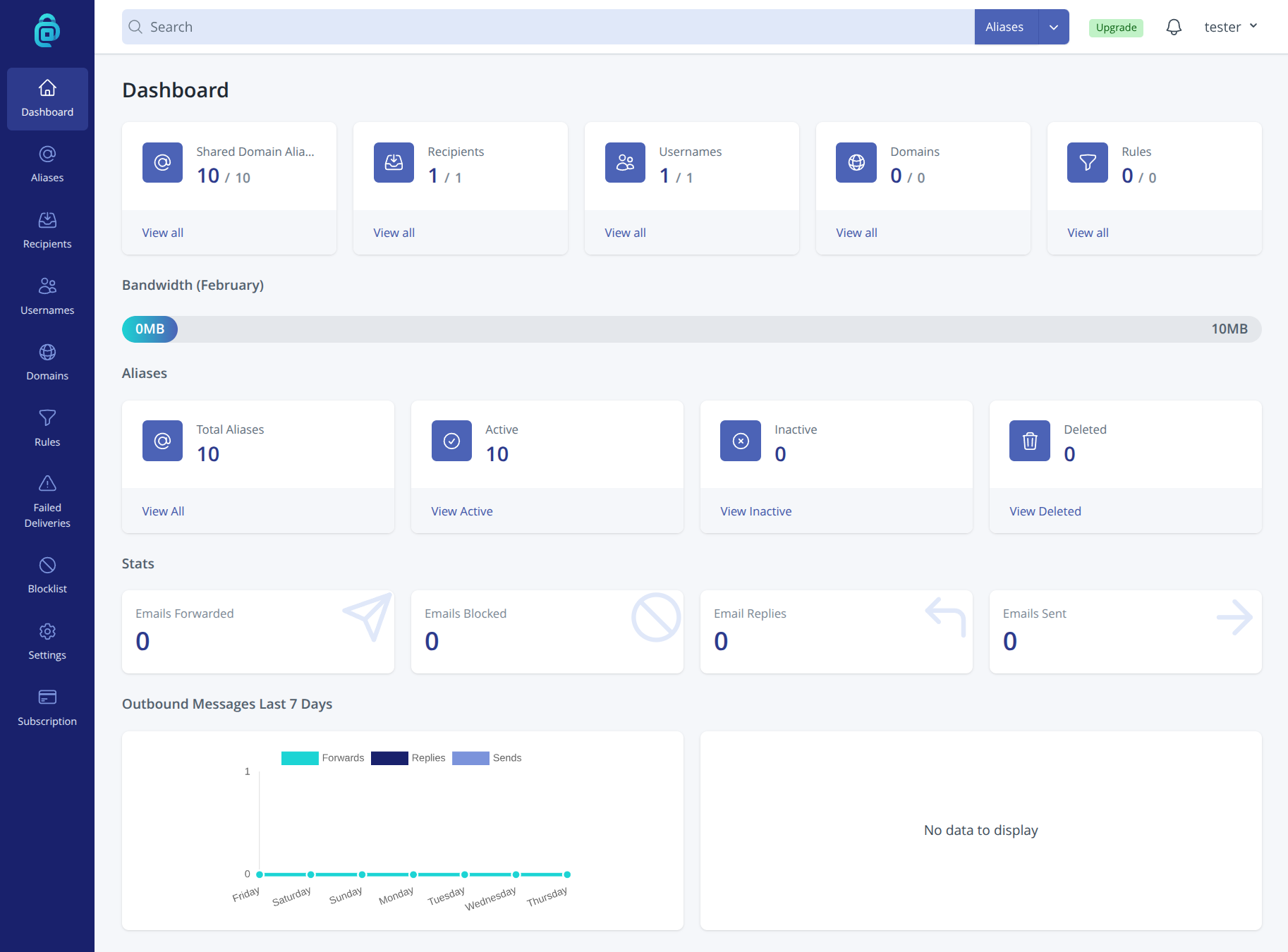
Main navigation areas
The navigation bar gives you access to the main parts of your account:
Aliases - View, create, and manage your email aliases. Here you can see which aliases are active, add new ones, change recipients, and see forward and reply counts. See Creating new email aliases to get started.
Recipients - Manage the real email addresses where your aliases forward mail. You add and verify recipients here, and choose which can reply or send from an alias. See Adding a recipient for more.
Usernames - If you have more than one username, you can manage them here: add new usernames, set default recipients, and control which usernames can be used to log in. See Adding an additional username for details.
Domains - Add and manage custom domains so you can use addresses like you@yourdomain.com. You can also see and manage subdomains and domain-related settings. See Adding a custom domain to begin.
Rules - Set up rules to automate what happens to incoming mail (for example, block by sender or forward to a specific recipient). See the Rules category for related articles.
Failed Deliveries - See any attempts by addy.io to forward emails to you that have failed. See the What is a failed delivery and why do they occur for more details.
Blocklist - Prevent certain senders from being able to reach your aliases by adding them to your blocklist. See the Blocklist category for related articles.
Settings - Access general settings (including Block Tracking Pixels), security settings (including two-factor authentication), and API settings for your account.
Subscription - Subscribe, manage or cancel your subscription. See the Subscriptions category for related articles.
Getting help from the dashboard
From all screens you can access Help link in the header by clicking on your username in the top right-hand corner. There you can search articles or browse by category. If you are unsure what a term means, see Terminology for definitions used across addy.io.