
This article explains how to log in to your addy.io account on the website. You can use any of your usernames to sign in, along with your account password. If you have two-factor authentication enabled, you will need your authenticator code or backup code as well.
How to log in to your account
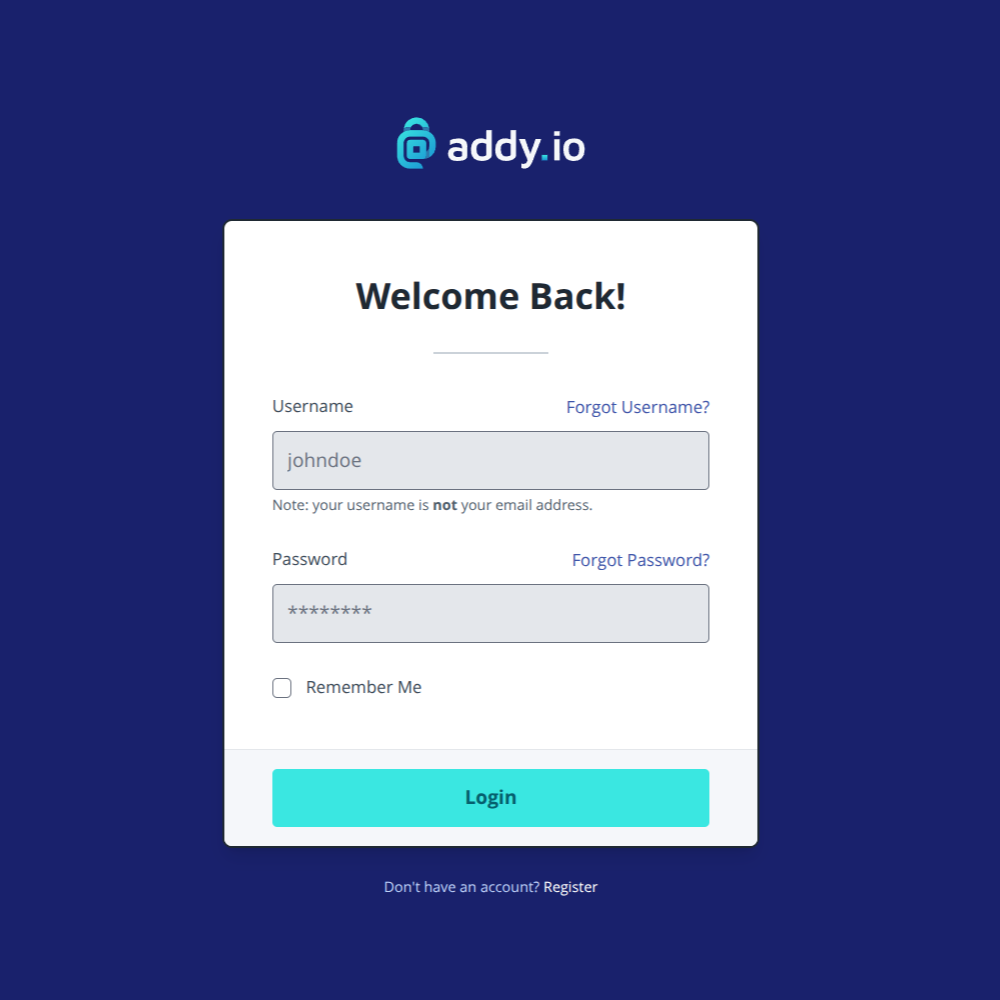
- Go to https://app.addy.io in your browser.
- Enter the username you want to use to sign in. This can be the username you signed up with or any additional username you have added to your account (unless you have disabled "Can Be Used To Login" for that username).
- Enter your password.
- If you have two-factor authentication (2FA) enabled, enter the six-digit code from your authenticator app or your hardware security key / passkey.
- Click Login.
You will be taken to your dashboard, where you can view and manage your aliases, recipients, domains, and other account settings.
Logging in with different usernames
If you have added additional usernames to your account, you can log in with any of them. Each username shares the same password and account. You may have turned off "Can Be Used To Login" for some usernames; those cannot be used to sign in. For more on this, see Setting whether a username can be used to login to your account.
Having trouble logging in?
Make sure to use one of your usernames in the username field (e.g. "johndoe") and not your email address.
If you do not remember your username or password, or your login is not working, see What to do if you have forgotten your username or password for steps to recover or reset access to your account.
If you have lost your 2FA device then you will need to use your backup code in order to regain access to your account.