
If you have enabled encryption for a recipient, you can turn it off so that forwarded emails are sent in plain text again, or remove the stored public key. You might do this if you no longer use PGP for that inbox, if you lost the private key, or if you are troubleshooting delivery. This article explains how to temporarily disable encryption or delete the PGP key.
Toggle off to temporarily disable
- Log in and go to Recipients in the navigation bar.
- Find the recipient in the table and turn the switch in the encryption column to OFF (as shown in the red box below).
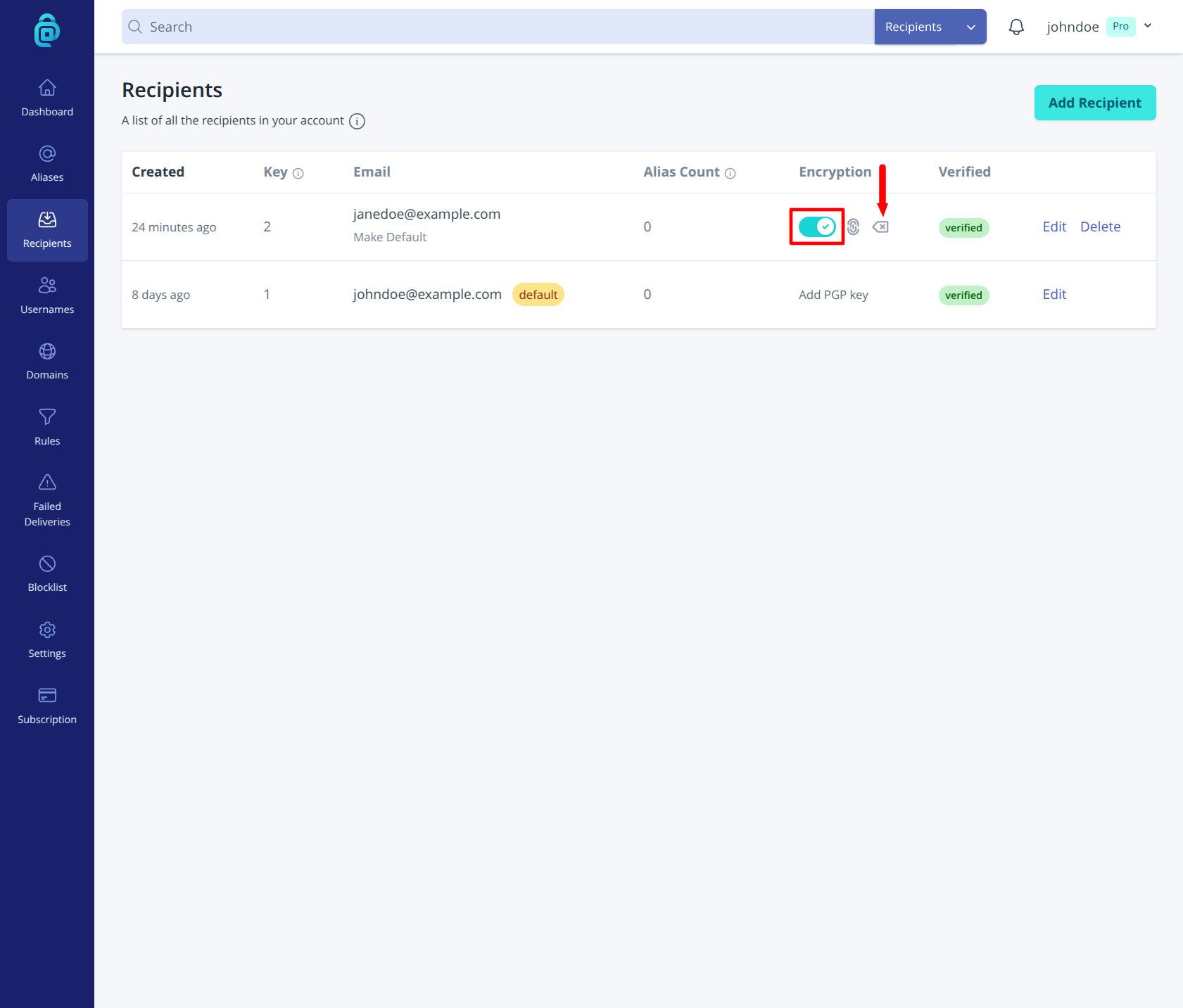
Use this when you want to stop encrypting for a while but keep the key on file (e.g. for a new client that does not support PGP yet).
Delete the PGP key
To permanently stop using encryption for this recipient and remove the key from addy.io:
- Log in and go to Recipients in the navigation bar.
- Find the recipient in the table and click the small cross icon in the encryption column (as indicated by the red arrow below).
- Confirm and click Remove public key in the popup modal. addy.io will no longer encrypt mail to this recipient, and the public key is removed. To use encryption again, you must add your public key again.
Delete the key if you no longer use that key pair, if you have lost the private key, or if you want to replace it with a new key (add the new public key after removing the old one).