
The blocklist lets you block specific sender email addresses or entire sender domains so they cannot reach your aliases. This is useful when you receive spam or repeated unwanted mail from the same source. This article explains how to add entries to your blocklist and when to block an email address vs a domain.
Add a sender to your blocklist
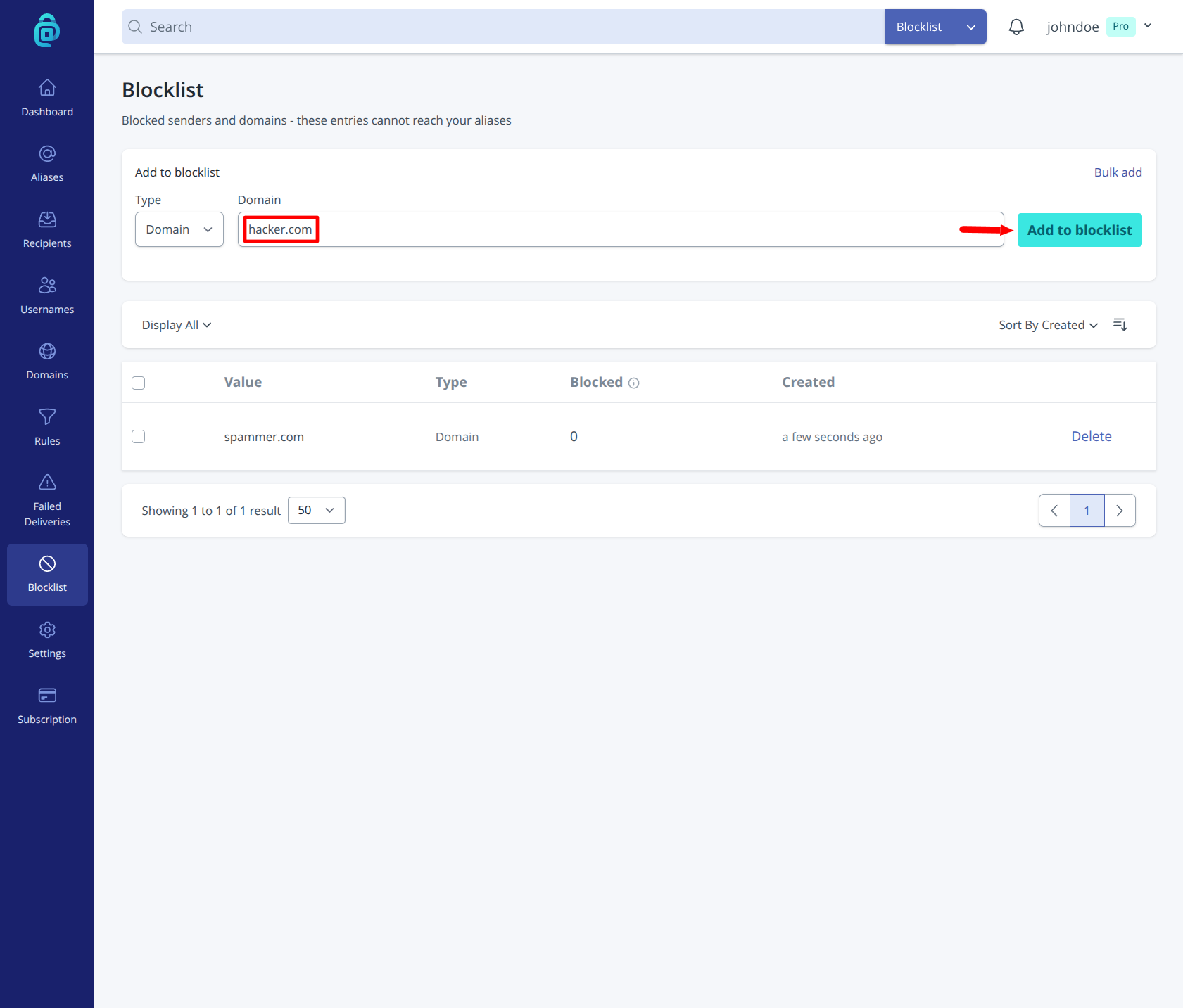
- Log in and go to Blocklist in the navigation sidebar.
- In Add to blocklist, choose the Type:
- Email to block one sender (e.g.
sender@example.com) - Domain to block all senders at that domain (e.g.
example.com)
- Email to block one sender (e.g.
- Enter the value and click Add to blocklist (as shown by the red arrow below).
Bulk add up to 50 entries
If you need to block many senders quickly, you can add multiple entries at once:
- Go to Blocklist.
- Click Bulk add, a popup modal will appear. Select Type (Email or Domain).
- Paste up to 50 entries into the input, with one entry per line.
- Click Add to blocklist.
Use this when importing a known list of spam senders or domains. If you need to add both emails and domains, submit them in separate batches using the matching type.
Email vs domain blocking
- Block email - Best when only one address is problematic.
- Block domain - Best when many different addresses at the same domain send unwanted mail.
Be careful with domain blocking: blocking a large domain (for example a major email provider) can block legitimate messages you still want.
Adding from failed deliveries
On the Failed Deliveries page, you can often click Add to blocklist next to a sender. This is a quick way to block repeat offenders after a bounced, rejected, or quarantined message.
Managing entries
You can remove blocklist entries later from the Blocklist page if you change your mind. Removing an entry allows future emails from that sender or domain again.