
Deactivating a custom domain stops it from receiving mail through addy.io. Messages sent to any alias at that domain (e.g. *@yourdomain.com) will be silently discarded; senders will not receive a bounce. The domain and its aliases remain on your account so you can reactivate the domain later and use it again. This is useful if you want to pause mail for a domain without removing it or deleting it. This article explains how to deactivate and reactivate a domain.
How to deactivate a domain
- Log in and go to Domains in the navigation bar.
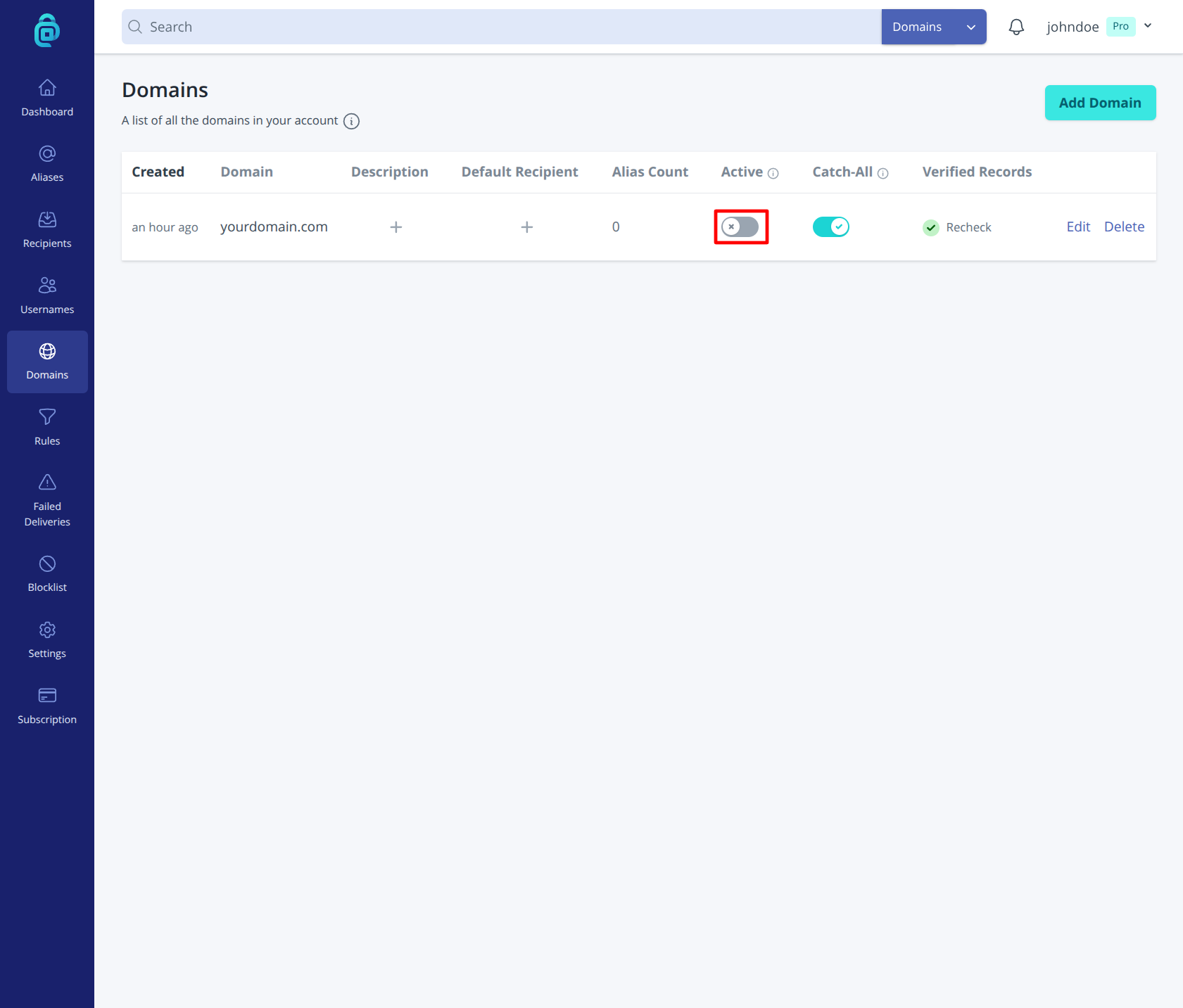
- Find the domain you want to deactivate and turn Active off using the toggle in the Active column (as shown in the red box below).
- The domain is now deactivated. Mail to aliases at this domain will be discarded until you reactivate it.
Reactivating a domain
Find the same domain in Domains and turn back ON the toggle switch. Once reactivated, the domain will receive mail again and aliases at that domain will work as before. Your DNS records do not need to be changed for deactivation or reactivation.
Deactivate vs delete
- Deactivate - Mail to the domain is discarded; the domain and its aliases stay on your account. You can reactivate later.
- Delete - The domain is removed from your account. Aliases at that domain are removed. See Deleting a domain.