
Deleting a custom domain removes it from your addy.io account. All aliases at that domain (e.g. *@yourdomain.com) will be removed and will no longer work. The domain may later be added again. This article explains what to do before deleting and how to delete a domain.
Before you delete a domain
- Aliases at this domain - All aliases that use this domain will be removed and stop working. If you need to keep using any of those addresses, consider deactivating the domain instead (mail is discarded but you can reactivate), or deactivating or deleting individual aliases. You cannot "move" a domain's aliases to another domain; you would need to recreate aliases elsewhere.
- Family plan members - If this domain is shared with a Duo or Family plan, you cannot delete it while members still have aliases on it. Stop sharing first and wait for the 14-day grace period to end, or ask members to delete their aliases.
- Default recipient - If this domain had a default recipient set, it is only used for that domain; deleting the domain does not affect your account’s global default recipient. No need to change it for deletion.
- DNS records - After deletion, you can remove the MX, SPF, DKIM (CNAME) and DMARC records for this domain from your DNS if you no longer use it for email. Leaving them in place does not cause problems but may point to addy.io for a domain you no longer use there.
How to delete a domain
- Log in and go to Domains in the navigation bar.
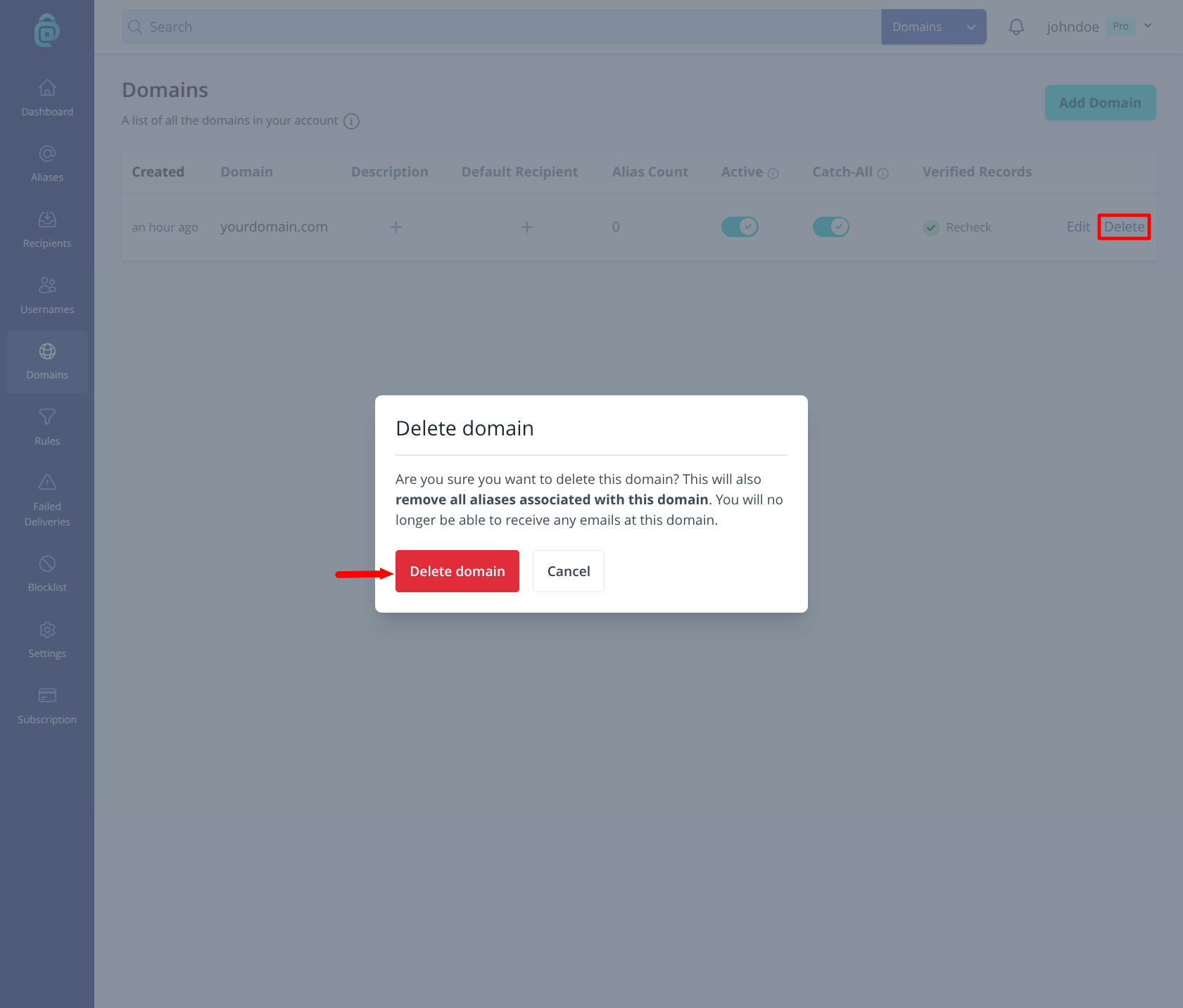
- Find the domain you want to remove and click "Delete" on the right-hand side of the table (as shown in the red box below).
- Confirm by clicking Delete domain. The domain and its aliases are removed from your account.
After deletion, you can add the same domain again later if it is still under your control. You cannot restore a deleted domain or its aliases. If you only want to stop receiving mail temporarily, use Deactivating a domain instead.