
Deleting an alias removes it from your account so that emails sent to that address are rejected. Unlike deactivating, deletion tells senders the address does not exist; unlike forgetting, a deleted alias can be restored later. This article explains how to delete an alias and how delete, deactivate, and forget differ.
How to delete an email alias on addy.io
- Log in and go to Aliases in the navigation bar.
- Find the alias you want to delete in the list.
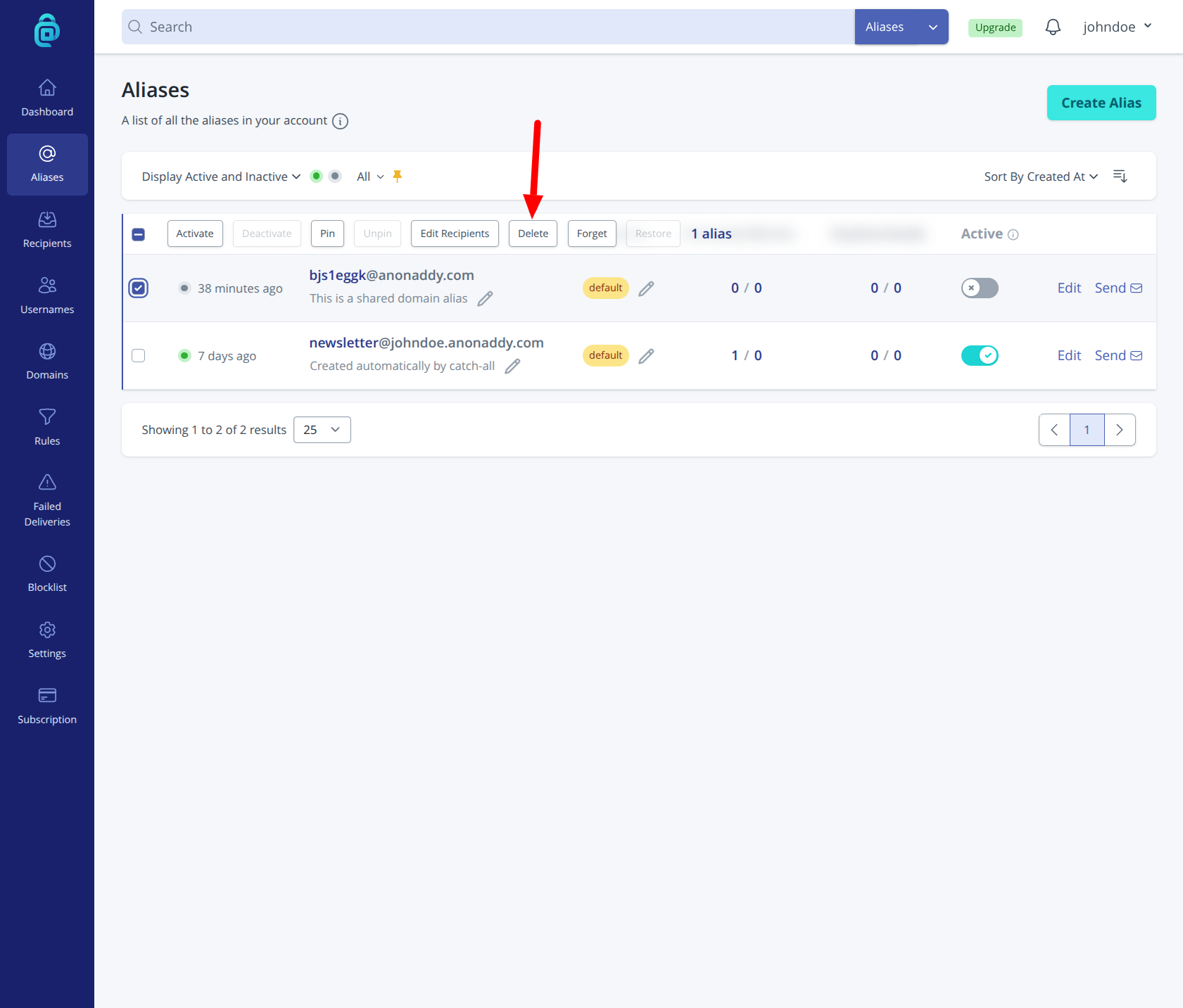
- Select the alias by clicking the checkbox on the left hand-side in the table and then click for Delete (as shown by the red arrow below).
- Confirm deletion. The alias will be removed from your account. Emails sent to it will be rejected with a message such as "550 5.1.1 Recipient address rejected: Address does not exist".
You can also delete an alias from the browser extension or mobile app. Deleted aliases can be restored from your alias list until you choose to forget them permanently.
What is the difference between deleting, deactivating and forgetting an alias?
Deactivate - The alias stays on your account but stops forwarding. Incoming mail is silently discarded; the sender is not told the address is inactive. You can turn the alias back on anytime. Use this when you want to pause an alias (e.g. for spam) without removing it. See Deactivating email aliases.
Delete - The alias is removed from your account and rejects mail with a “recipient does not exist” type message. The alias can be restored later so it can forward again. Use this when you are done with the alias but might want it back.
Forget - The alias is permanently disassociated from your account. For shared domain aliases (e.g. @anonaddy.me), it can never be restored or used again. For standard aliases, the address can be created again in the future (e.g. on the fly if catch-all is enabled). Use forget when you want to permanently give up the alias. See Forgetting an alias.