
If you deleted an alias by mistake or want to use it again, you can restore it so it starts forwarding emails again. Restored aliases behave like normal active aliases. This article explains how to restore a deleted alias. You cannot restore an alias that has been forgotten (unless it is a standard alias), it is permanent for shared domain aliases.
How to restore an email alias on addy.io
- Log in and go to Aliases in the navigation bar.
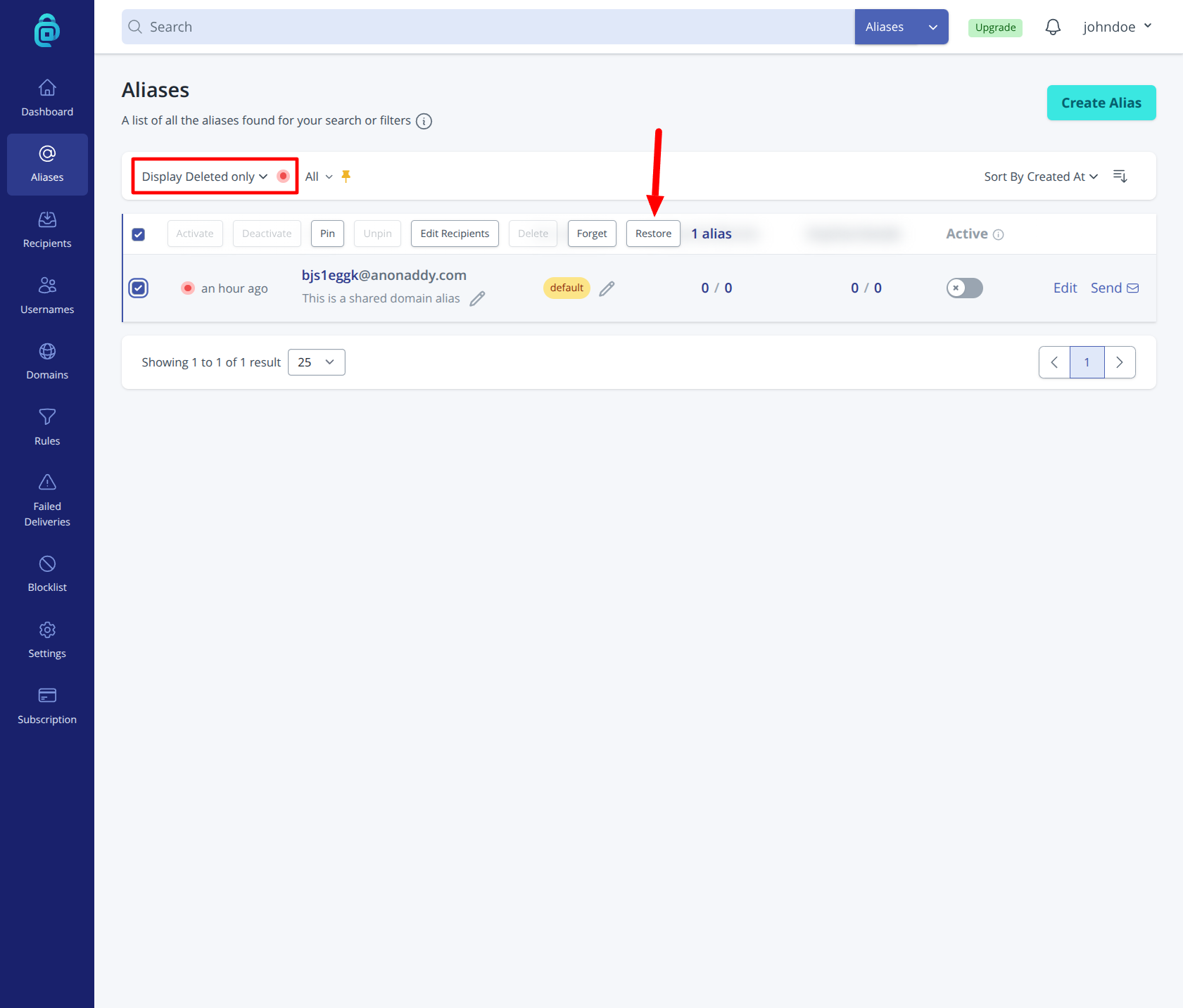
- Switch the view or filter to show Deleted aliases (as shown in the red box below).
- Find the alias you want to bring back, select it by clicking the checkbox next to it and then click Restore (as shown by the red arrow below).
- Confirm when prompted. The alias will be active again and will forward incoming mail to your recipient(s).
After restoring, the alias appears in your main alias list and works as before. If you no longer want it at all, you can delete it again or forget it for permanent removal (see Deleting an alias for the difference).