Each custom domain (and subdomain) can have its own default recipient. New aliases at that domain will forward to this address until you change the recipients for the alias. This overrides your account’s global default recipient for aliases at this domain. This article explains how to set or change the default recipient for a domain.
Where to change the default recipient for a domain
- Log in and go to Domains in the navigation bar.
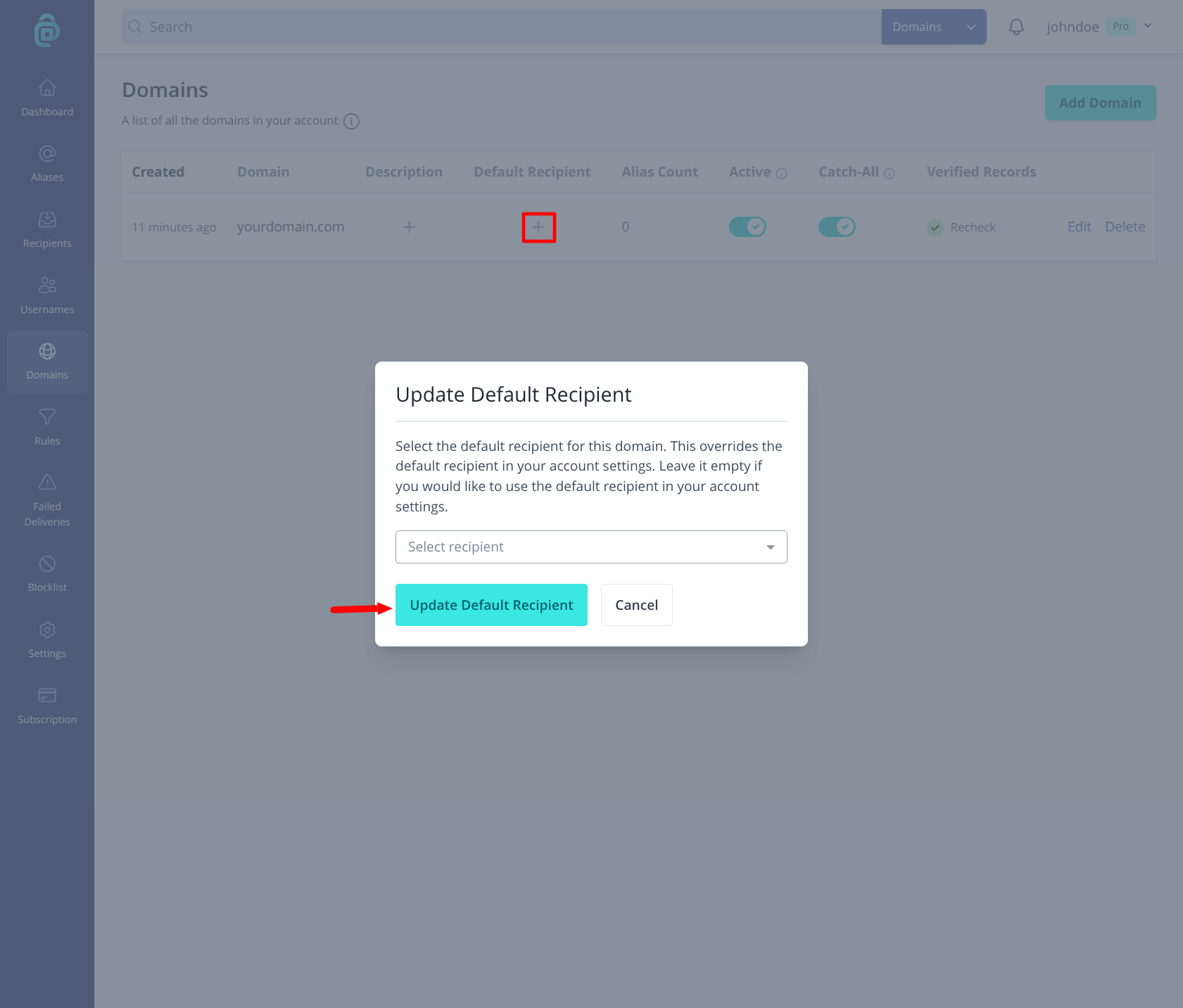
- Find the domain you want to edit and click the plus icon in the Default Recipient column (as shown in the red box below).
- Select the recipient you want as the default for this domain.
- Click Update Default Recipient.
From then on, any new alias at this domain (e.g. hello@yourdomain.com) will use this recipient by default. Aliases at other domains or your account default are unaffected. You can still change the recipient for any individual alias later.
Can I set multiple default recipients?
Yes, but you have to use rules instead of setting them directly because each domain can have only one default recipient at a time.
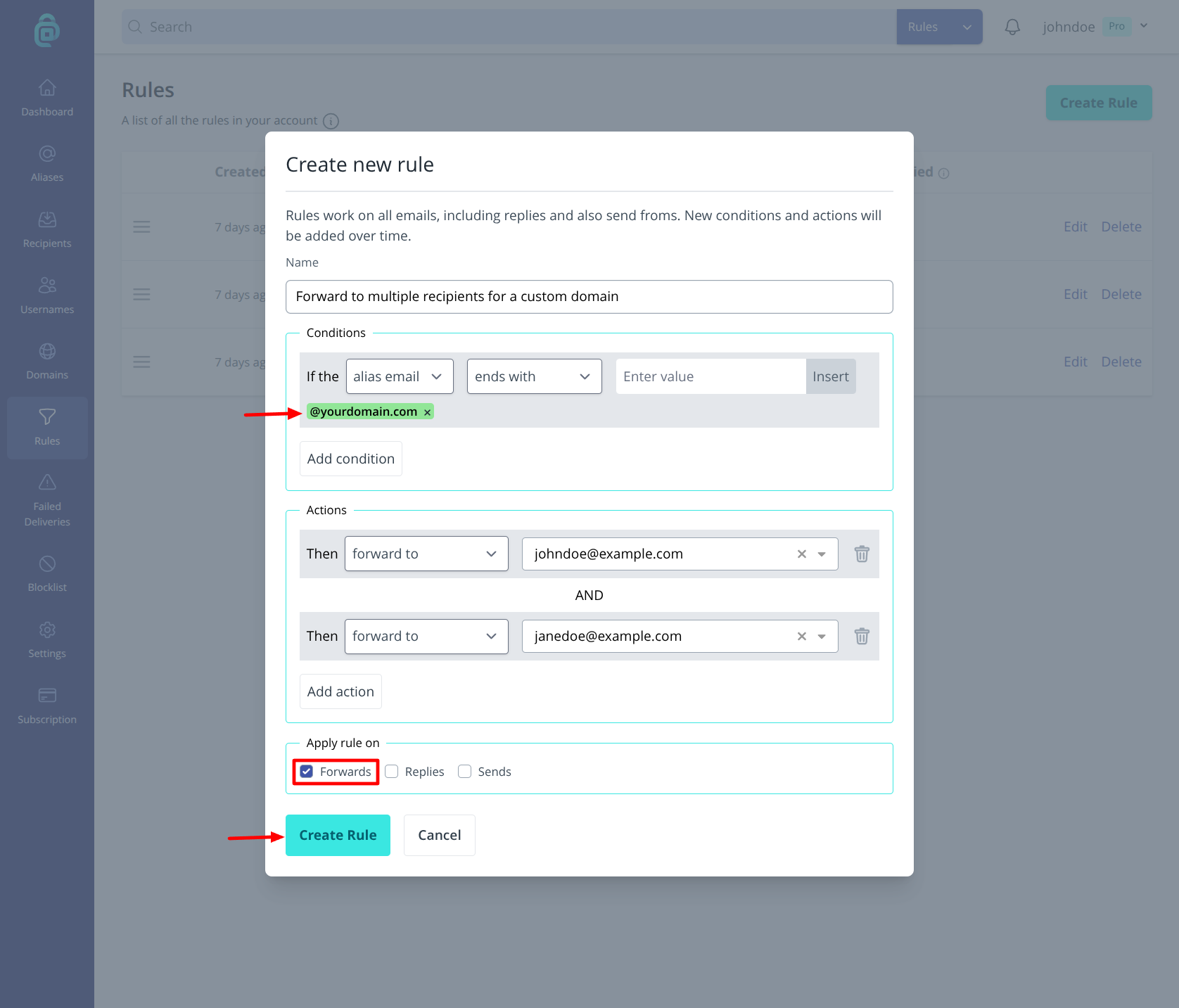
If you want all mail at that domain to reach more than one inbox, it is possible by using rules. Create a new rule, set the conditions described below and then select the "forward to" action for each recipient you want to receive the mail:
- Conditions - Set an alias email condition that matches your custom domain (for example
@yourdomain.com). Choose theends withmatch type and enter this@yourdomain.commaking sure to replace "yourdomain.com" with your actual custom domain. - Actions - Select forward to your chosen recipient and then click "Add action" and select forward to your next recipient etc.
When an email arrives at an alias on that domain, the rule will be matched and applied, so each recipient will receive a copy of the email. Rules are a paid feature (Lite and Pro); see pricing.