
The default recipient is the address where new aliases forward mail when you have not chosen a different recipient for that alias. You can set one in your general settings so that every new alias uses your preferred inbox by default. You can still change the recipients for any alias later. This article explains how to change your account’s default recipient.
Where to change the default recipient
- Log in and go to Recipients in the navigation bar.
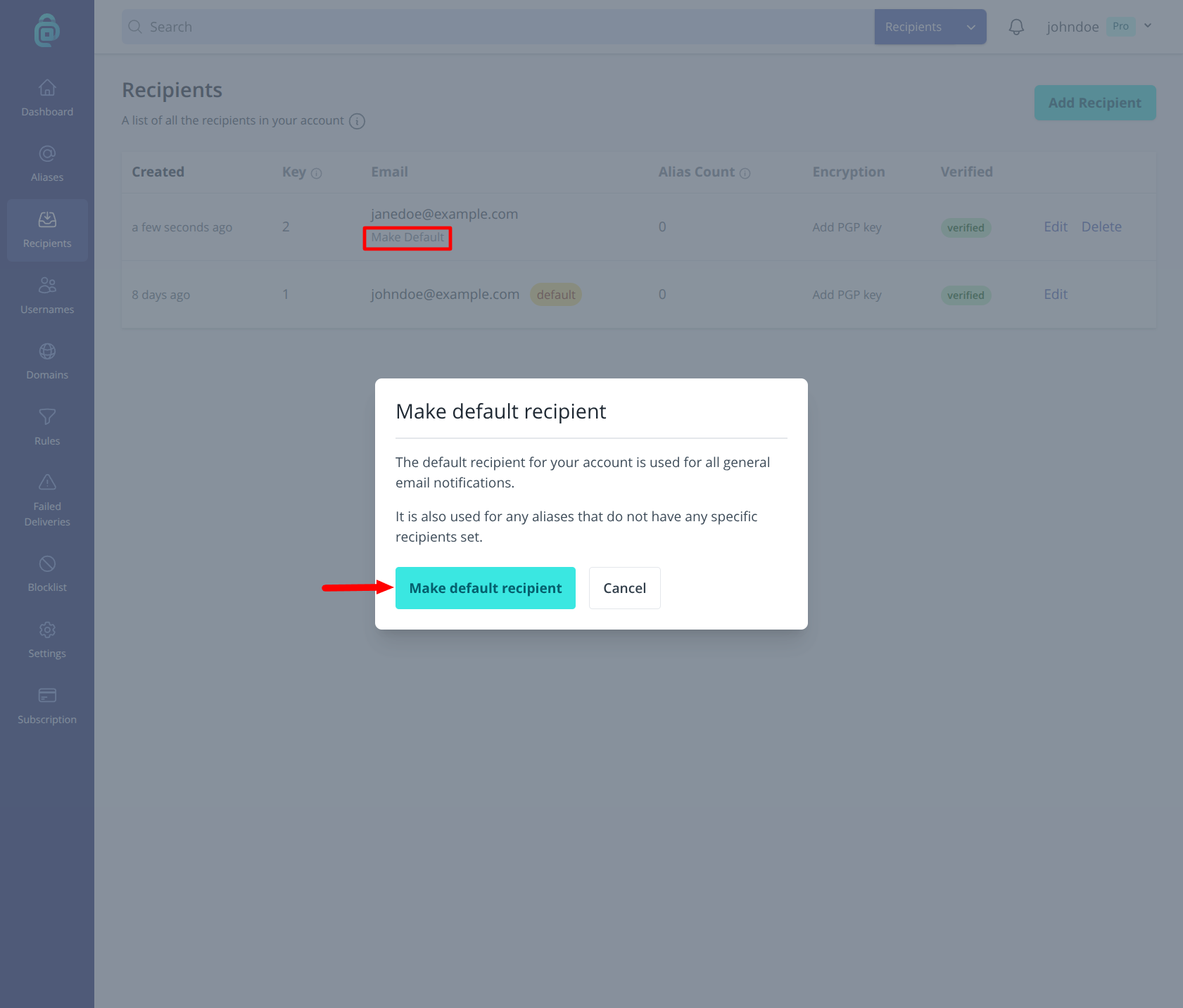
- Find the recipient you want as the new default and click Make Default underneath it (as shown in the red box below).
- Confirm in the modal by clicking Make default recipient.
From then on, any new alias you create (on the fly or by generating) will use this recipient until you change it for that alias. Existing aliases keep their current recipients unless you edit them.
You can also set a default recipient per domain or per username (e.g. for a custom domain or additional username). Those options override the account default for aliases at that domain or username. See Changing the default recipient for a domain and Changing the default recipient for a username.