
Deleting a blocklist entry removes that sender restriction from your account. Once removed, emails from that address or domain can reach your aliases again, unless another rule or blocklist entry still blocks them.
Delete a blocklist entry
- Log in and go to Blocklist in the navigation sidebar.
- Find the email address or domain entry you want to remove.
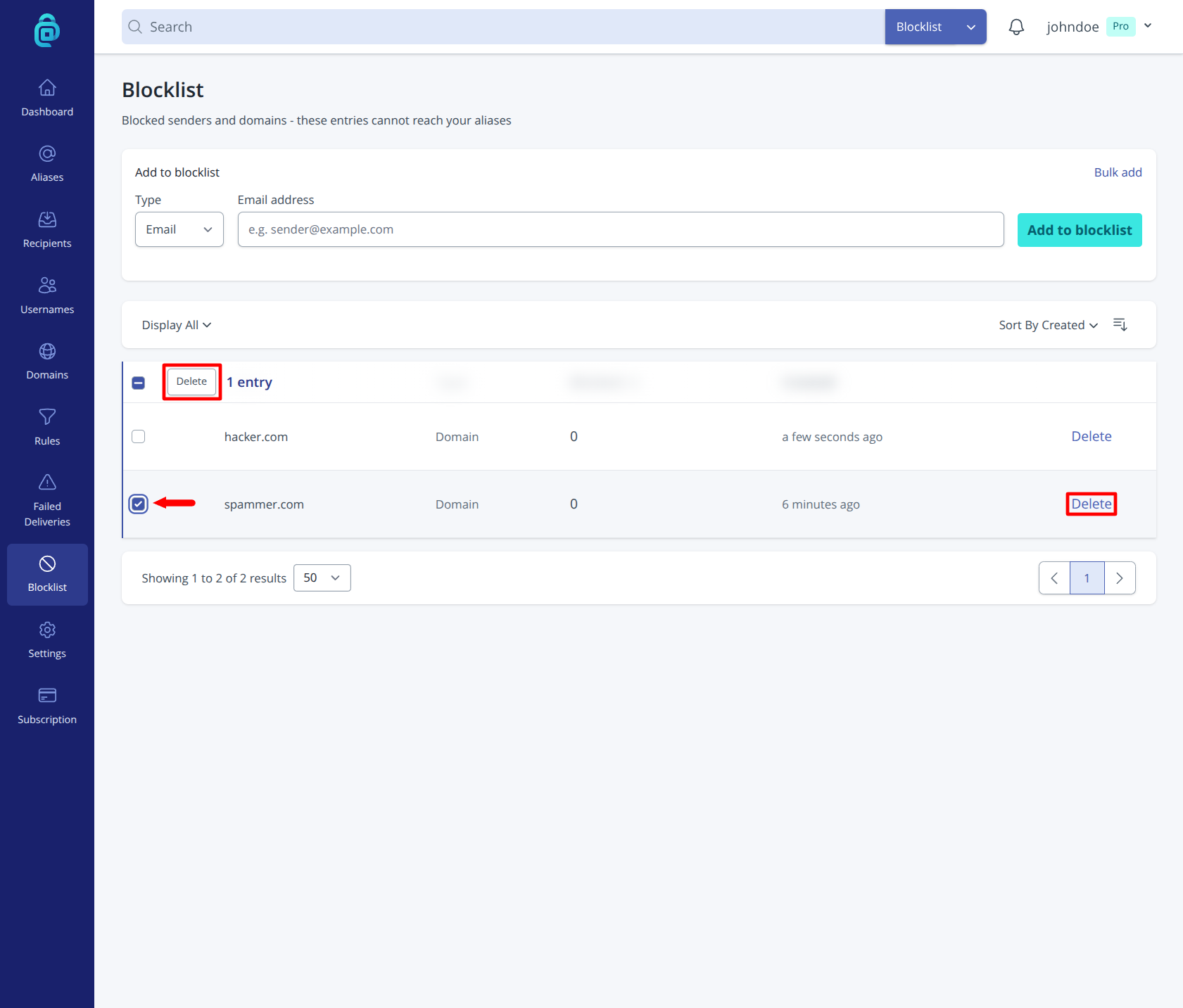
- Click Delete for that entry (as shown by the red box below). You can also select multiple entries by clicking the checkbox as indicated by the red arrow below.
- Confirm the deletion.
Before you delete an entry
- If spam from that sender is still ongoing, keep the entry blocked.
- If the sender is legitimate and was blocked by mistake, deleting the entry restores normal delivery.
- If unwanted mail returns later, you can add the sender again.