
For a custom domain (or subdomain), catch-all lets addy.io create standard aliases automatically when the first email arrives at an address on that domain. You can optionally use an alias auto create regex to allow only certain local-parts (the part before the @). This article explains how to enable catch-all and use the regex for a domain. The same concepts apply to usernames.
What is catch-all?
When catch-all is enabled for a domain (e.g. yourdomain.com), any email sent to anything@yourdomain.com will create that alias automatically when it receives its first message. You do not need to pre-create the alias. If catch-all is disabled, only addresses for aliases that already exist are accepted; all others are rejected. See Terminology for more.
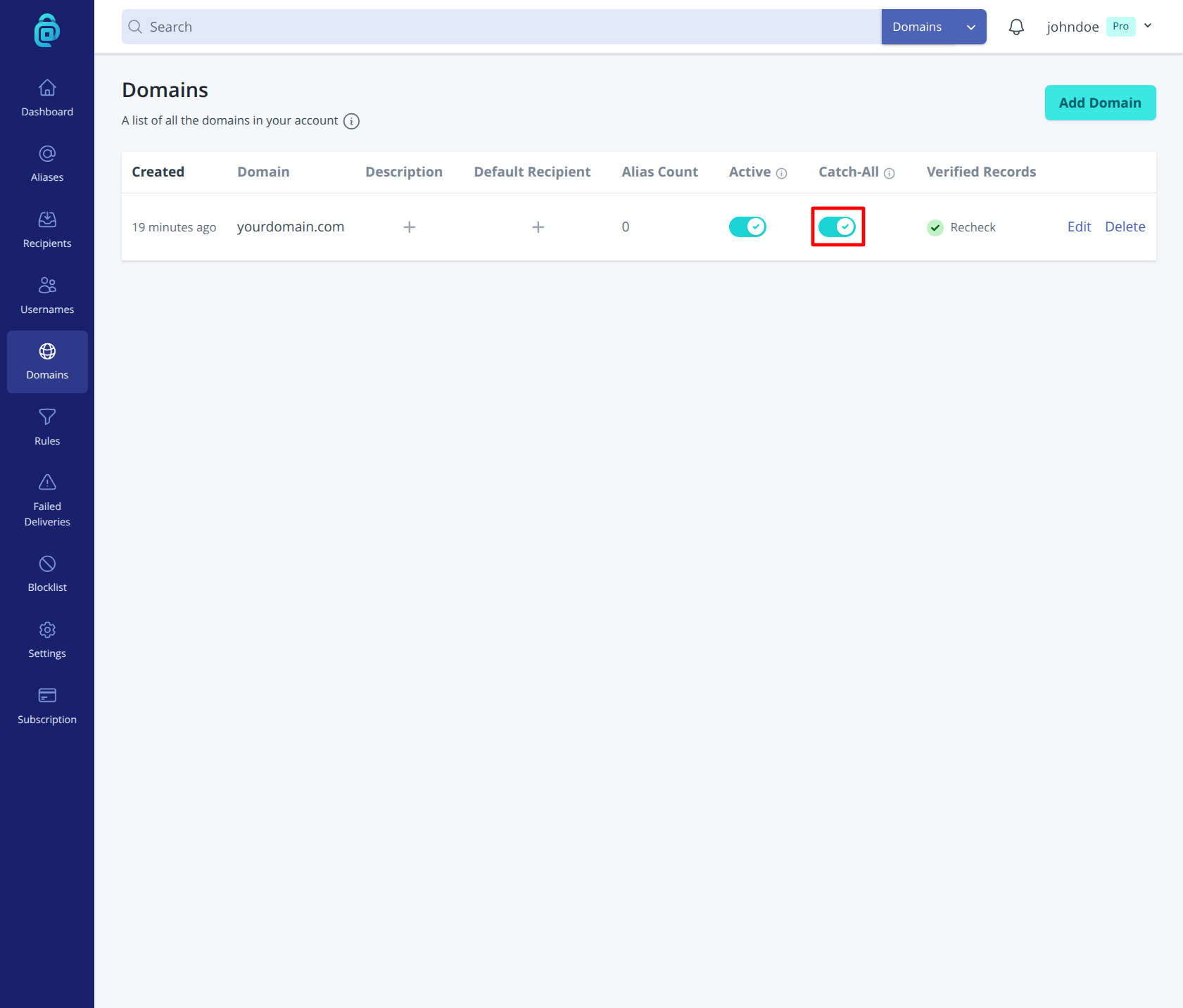
Catch-all is useful if you want to give out many addresses (e.g. shop@yourdomain.com, support@yourdomain.com) without creating each one in the dashboard. Turn catch-all on or off per domain on the Domains page using the Catch-All toggle (as shown below).
Alias auto create regex
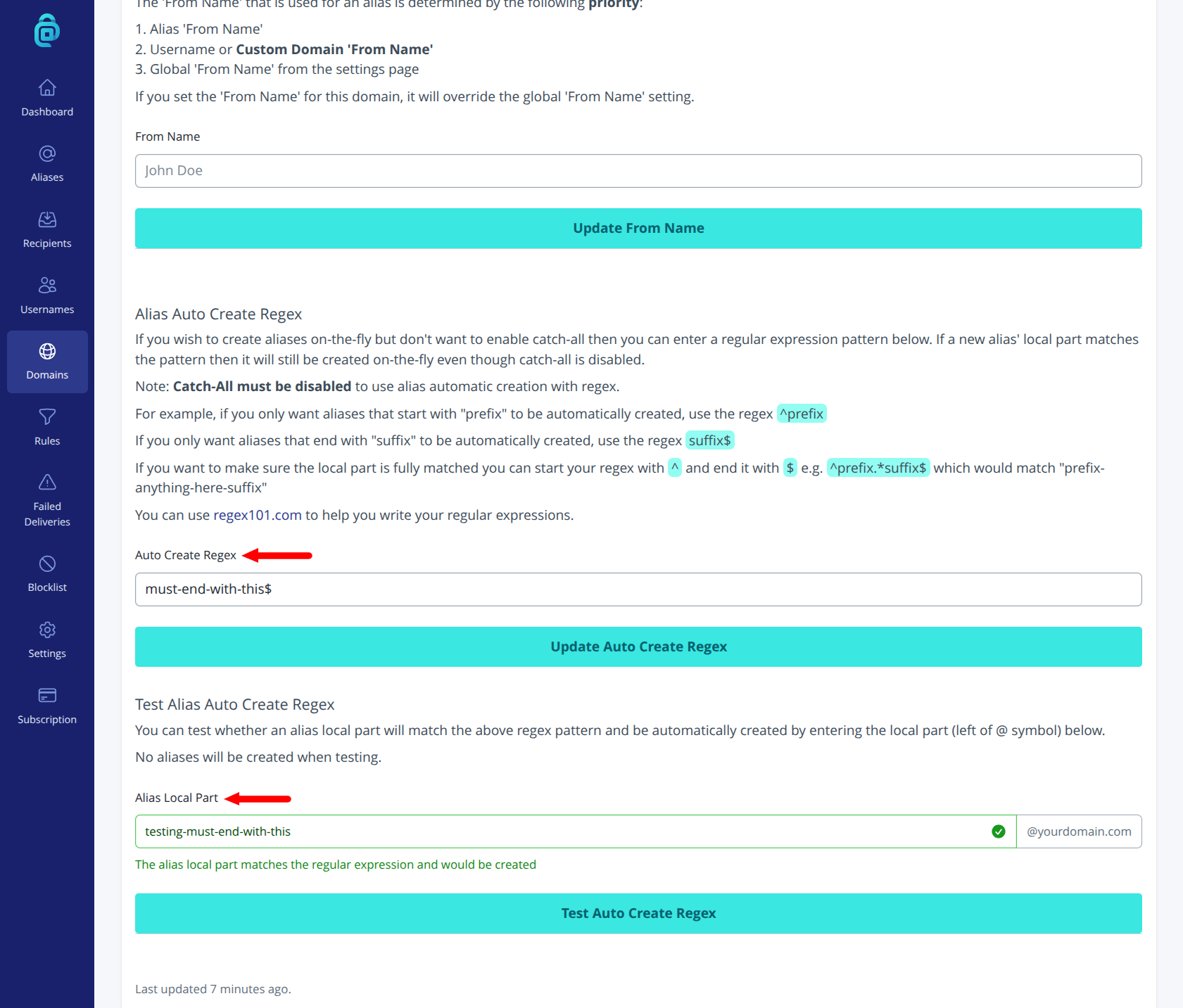
The alias auto create regex lets you allow only certain local-parts to be auto-created when catch-all is off. You enter a regular expression that the local part (the part before @) must match. Only matching addresses will create a new alias; others are rejected. Catch-all must be disabled before you can use auto create regex (configure both on the domain Edit page).
Examples:
- Allow only local-parts that look like words (letters): e.g.
^[a-zA-Z]+$ - Allow only local-parts containing a dot: e.g.
\.(contains a dot) - Allow only local-parts that start with "news": e.g.
^news
If you leave the regex empty (and catch-all is off), then no local-parts are allowed to be created on-the-fly. Check the on-screen help for the exact syntax and behaviour. Incorrect regex can block wanted mail or allow unwanted patterns, so test carefully by using the "Test Alias Auto Create Regex" section shown below.
Summary
- Catch-all on - Any address at the domain can receive mail; new aliases are created on first email.
- Catch-all off - Only pre-existing aliases at that domain receive mail.
- Alias auto create regex - When catch-all is off, only local-parts matching the regex will auto-create an alias; others are rejected.