
If you have more than one username (your sign-up username plus additional usernames), you can set a default username for your account. The default is often used when you first log in or when the app needs to show a single “main” username. This article explains where to change it. You might wish to change your default username if you plan to delete the old one.
Where to change the default username
- Log in and go to Usernames in the navigation bar.
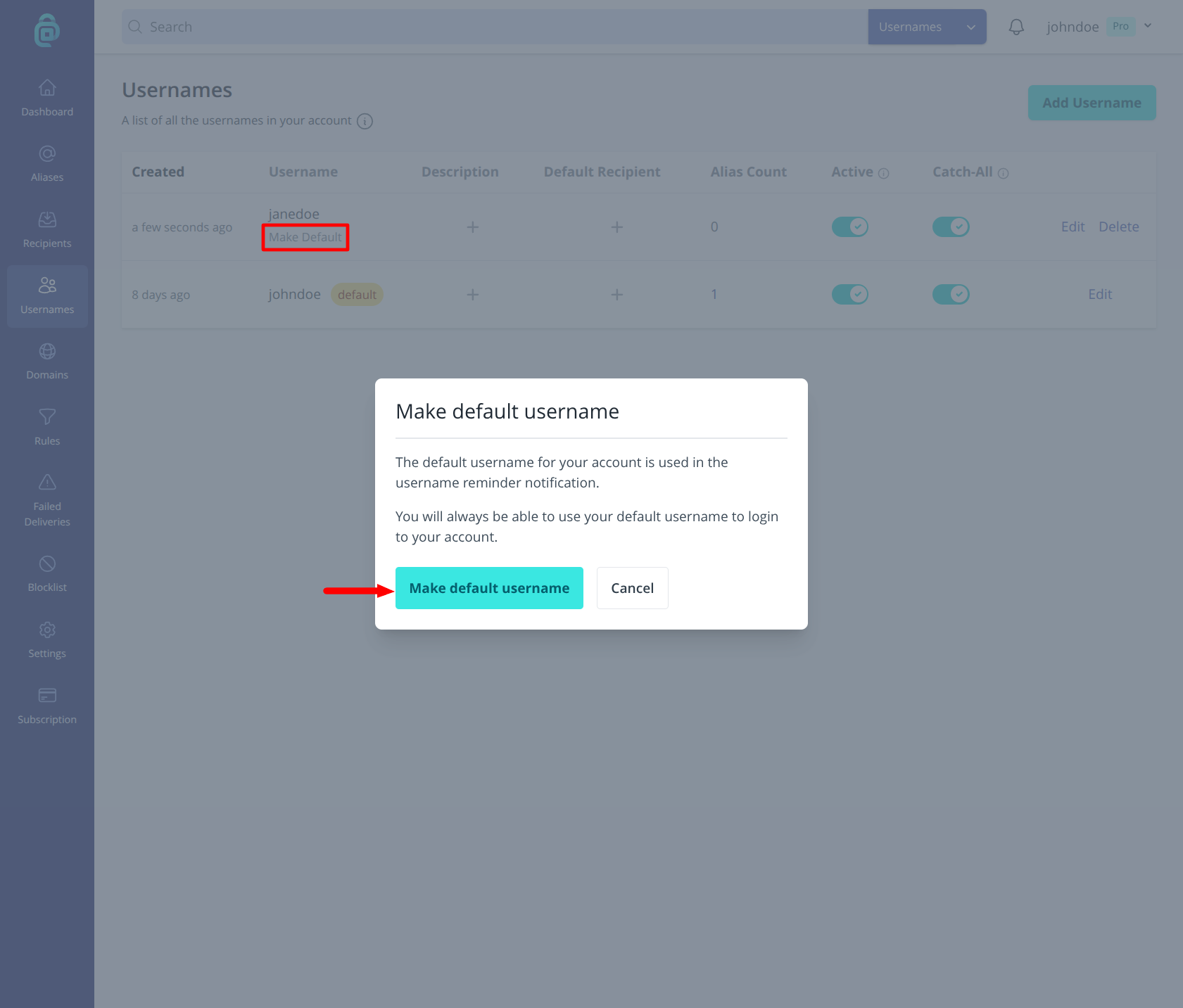
- Find the username you want as the new default and click Make Default underneath it (as shown by the red box below).
- Confirm in the popup modal by clicking Make default username.
The default username does not affect which usernames you can log in with. You can still sign in with any username that has “Can Be Used To Login” enabled. It only affects which username is preselected or shown as primary in the interface.