
Deactivating a rule pauses it: the rule’s conditions are no longer evaluated and its actions are not applied to incoming mail. The rule stays in your list so you can reactivate it later without re-entering conditions or actions. This is useful when you want to temporarily stop a rule (e.g. for testing or a short-term change) without deleting it. This article explains how to deactivate and reactivate a rule.
How to deactivate a rule
- Log in and go to Rules in the navigation bar.
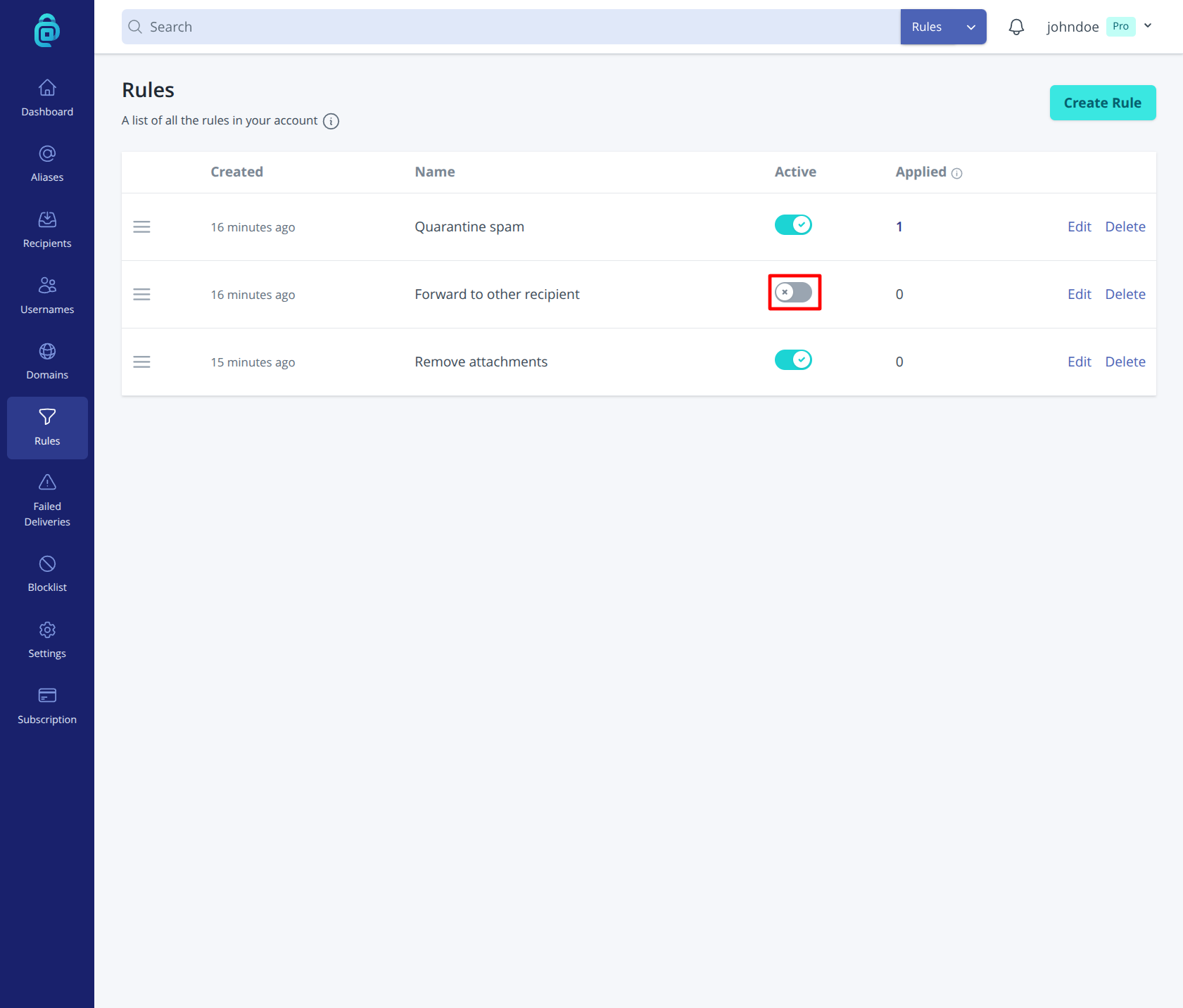
- Find the rule you want to deactivate. Use the Active toggle for that rule (as shown in the red box below).
- The rule is now inactive; incoming mail will not trigger its actions until you reactivate it.
Reactivating a rule
Open Rules, find the same rule, and turn Active on using the toggle in the Active column. The rule will run again for incoming mail in its order.
Deactivate vs delete
- Deactivate - The rule is paused but remains in your account. You can reactivate it at any time.
- Delete - The rule is permanently removed. You would need to create a new rule to get the same behaviour again. See Deleting a rule.