
Deleting a rule removes it permanently from your account. Its conditions and actions will no longer be applied to incoming mail. You cannot restore a deleted rule; to get the same behaviour again you would need to create a new rule with the same conditions and actions. This article explains how to delete a rule and when you might prefer to deactivate it instead.
How to delete a rule
- Log in and go to Rules in the navigation bar.
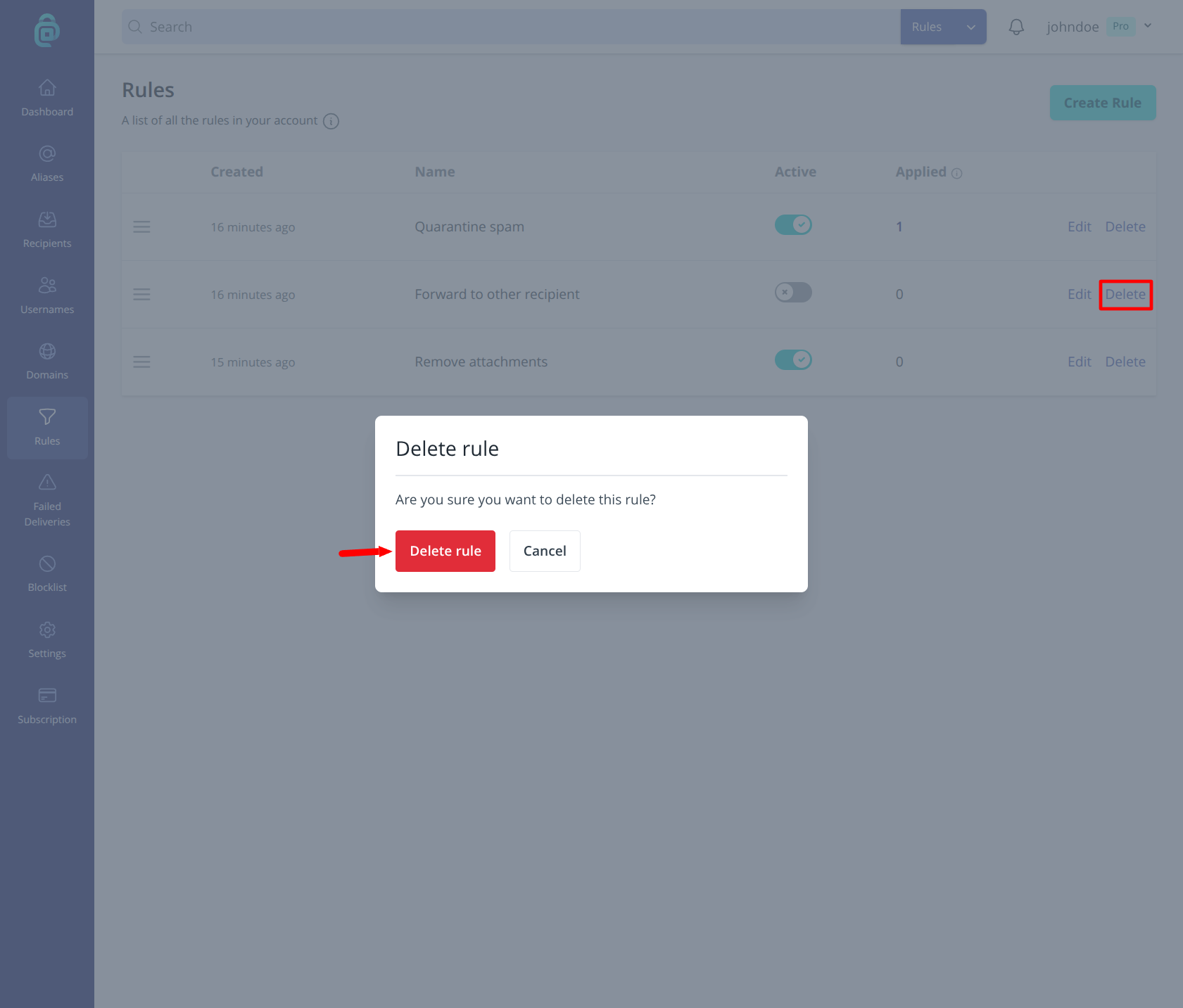
- Find the rule you want to remove and click "Delete" in the right-hand side of the table (as shown in the red box below).
- Confirm by clicking Delete rule. The rule is permanently removed.
When to delete vs deactivate
- Deactivate - Use when you want to pause the rule temporarily. The rule stays in your list and you can reactivate it later. No need to recreate conditions or actions.
- Delete - Use when you no longer need the rule at all. It is removed permanently. If you change your mind, you must create a new rule with the same settings.
After deletion, the order of your remaining rules is unchanged; only the deleted rule is removed from the list.