
By default, recipients can both receive forwarded mail and reply or send from your aliases when they use that recipient address. You can turn off reply/send for a recipient so they only receive forwards and cannot send or reply as the alias. This article explains how to allow or disallow a recipient to reply and send from your aliases.
Why control reply/send per recipient?
If you use several recipients (e.g. different inboxes for different aliases), you may want one address only for receiving and another allowed to reply and send. Disallowing reply/send keeps that recipient as a “receive only” inbox.
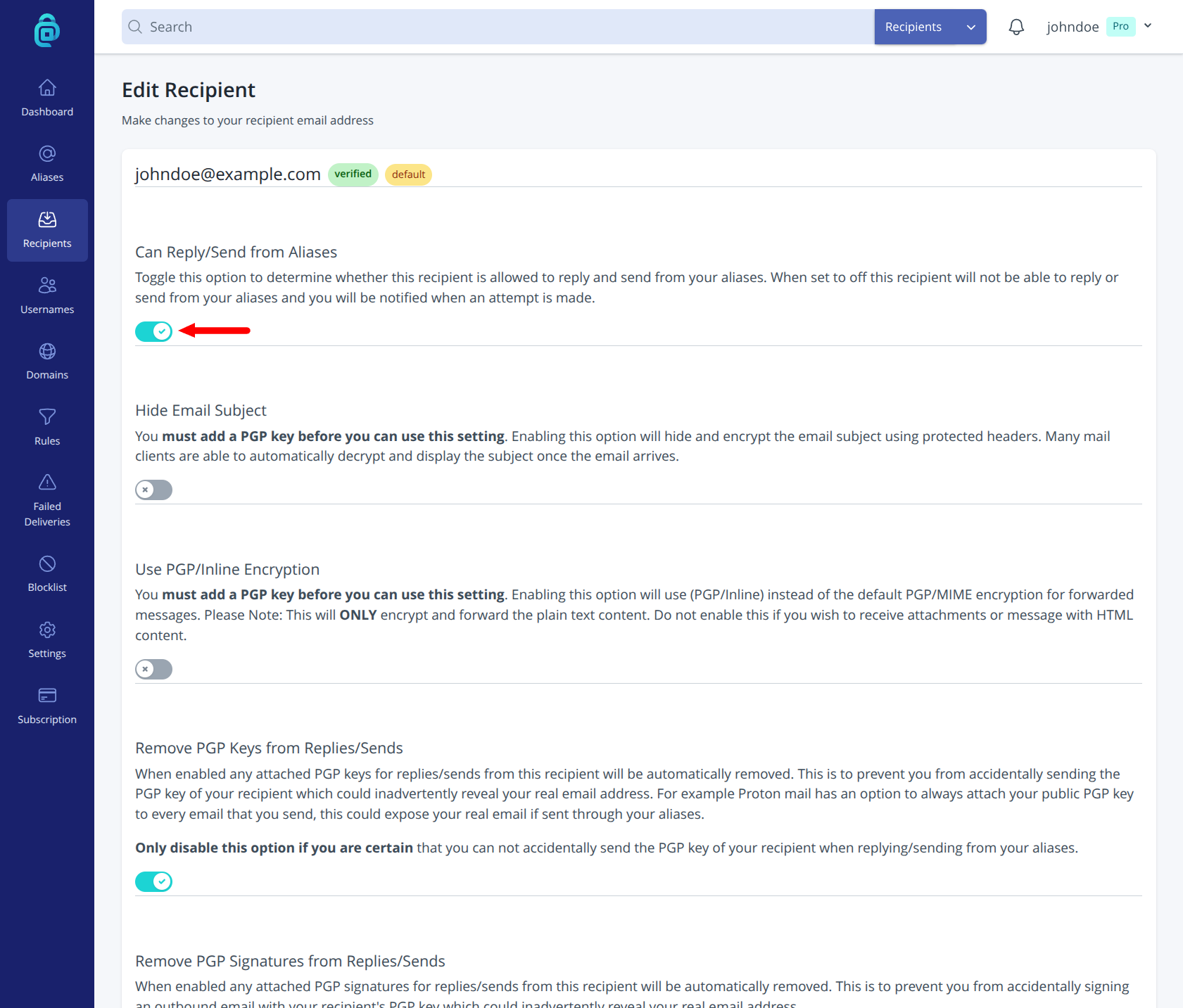
How to allow or disallow reply/send for a recipient
- Log in and go to Recipients in the navigation bar.
- Find the recipient you want to change and click "Edit" on the right-hand side of the table.
- Find Can Reply/Send from Aliases (toggle).
- Turn it on to allow that recipient to reply and send from your aliases. Turn it off for receive-only forwarding.
If you attempt to reply/send from a recipient that has this setting OFF then you will be sent an email notification informing you that it was not successful.
Recipients must be verified before they can receive or reply/send. If you disallow reply/send, that recipient will still receive all forwarded mail for aliases that use it; they just cannot send or reply from those aliases.