
When addy.io records a failed delivery, you can open it in your account to see why it failed and, in many cases, download the stored message. Not every failure is stored (for example, inbound rejections are not). This article explains how to find, inspect, and download failed deliveries.
Where to find failed deliveries
- Log in and go to Failed Deliveries in the navigation bar.
- Review the list. Each entry shows the date, alias, recipient, failure type, and a short error reason.
Download a failed delivery
- Find the entry you want to inspect.
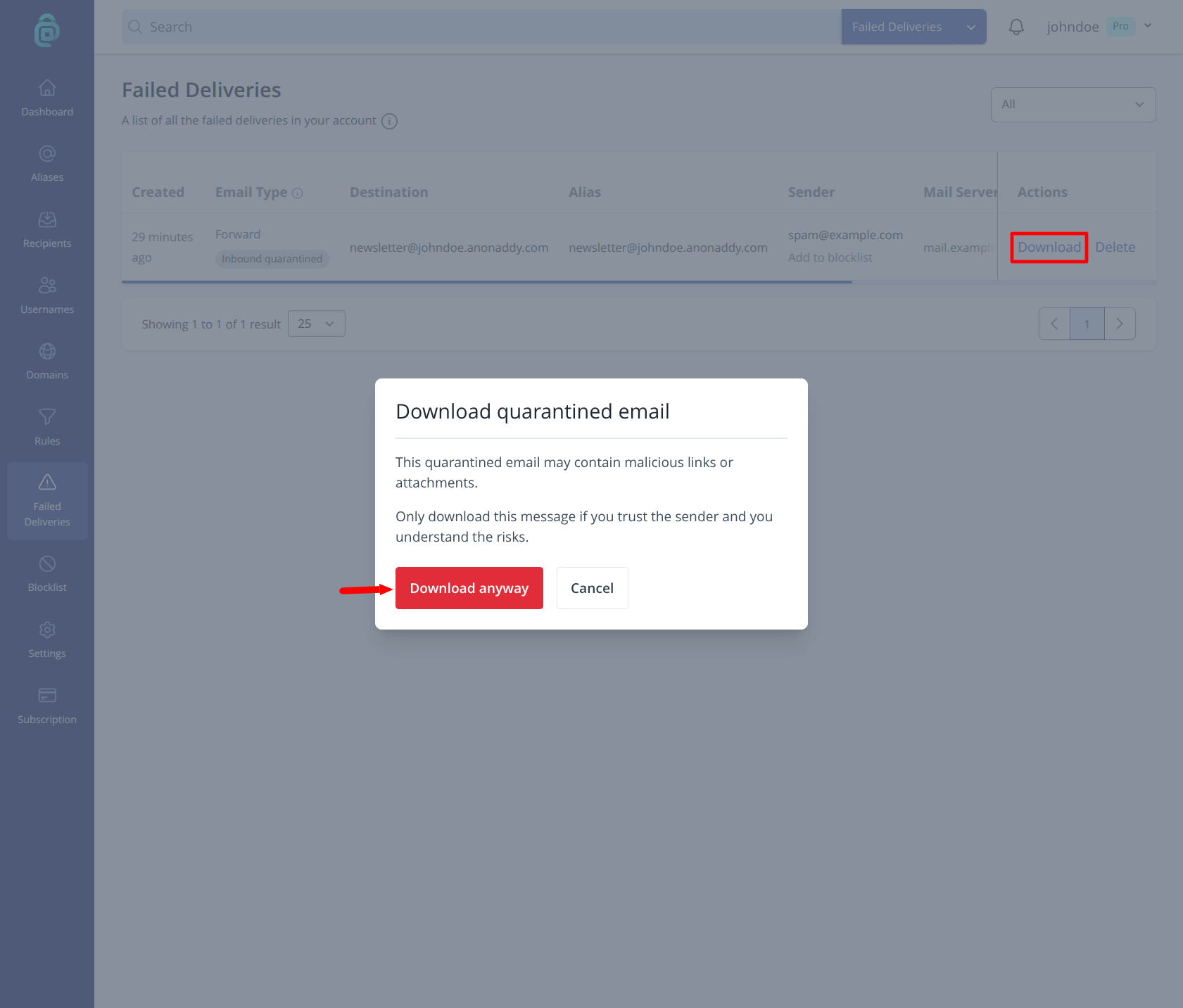
- Click Download (as shown below) to save the raw message or report as an
.emlfile. - If the entry is inbound quarantined, read any warning carefully before opening the file. The message may contain malicious links or attachments.
If you cannot download inbound quarantined or outbound bounce entries, enable Store Failed Deliveries under Settings > General at app.addy.io/settings.
To find out what an error means, paste it into the SMTP error code lookup. You can also open a downloaded .eml file in the email header analyser to see the route the message took and its SPF, DKIM and DMARC results. Both tools run in your browser, so nothing is uploaded.
After you fix the underlying issue (for example an invalid recipient or full mailbox), you can resend the failed delivery.