
When a message to one of your aliases could not be delivered to your recipient, addy.io records it as a failed delivery. Some failed deliveries can be resent after you fix the issue. In practice, resend is available for stored outbound forward failures (not inbound rejections, and not quarantined entries). This article explains how resend works.
Before you resend
- Fix the underlying issue - Resending will fail again if the recipient is still invalid, the mailbox is still full, or the receiving server is still rejecting mail. Update the recipient or destination mailbox as needed, then resend.
- Check the failed delivery - View or download the failed delivery to confirm the error and that you have addressed it.
Failed deliveries can only be resent once.
How to resend a failed delivery
- Log in and go to Failed Deliveries in the navigation bar.
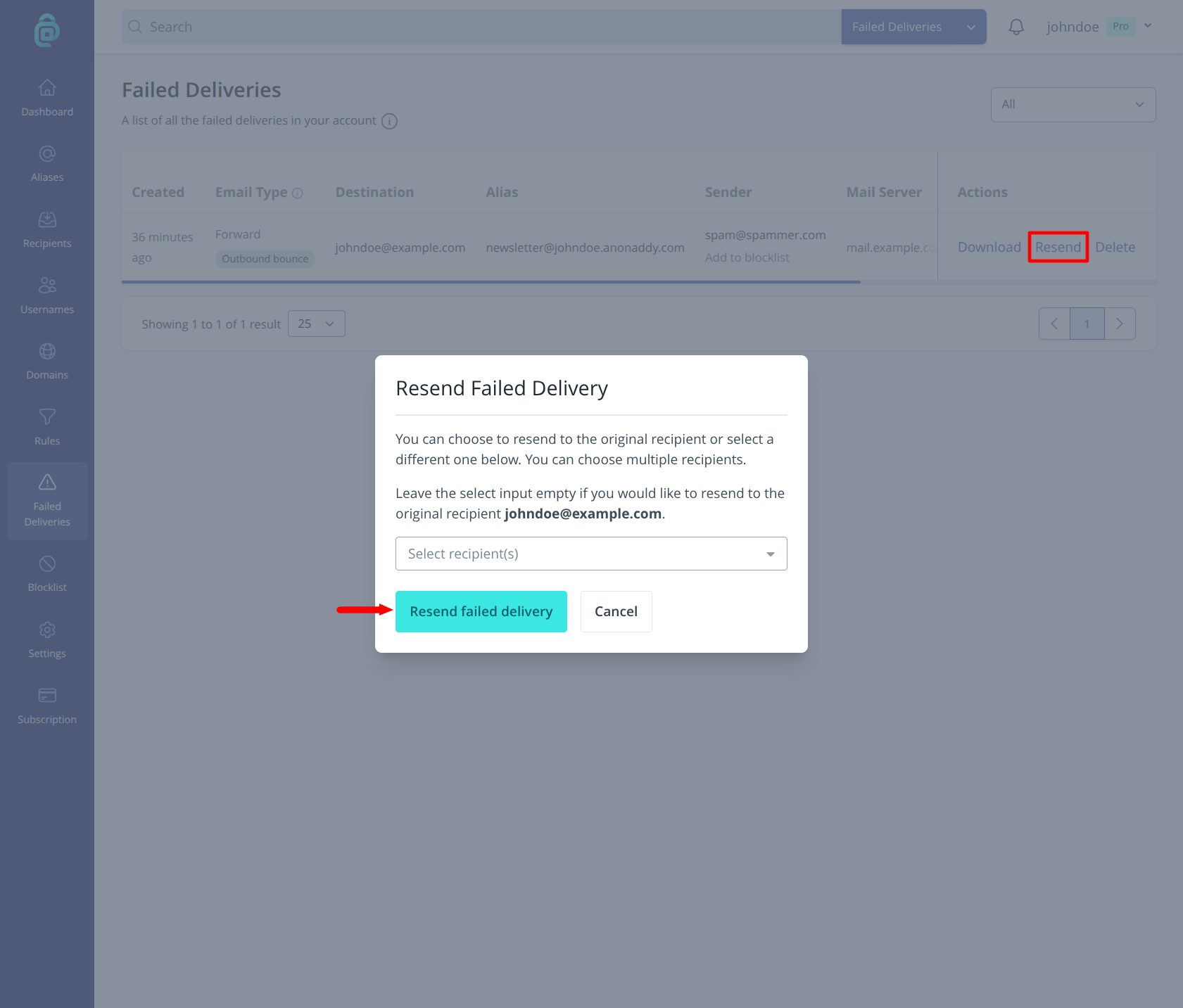
- Find a failed delivery entry with a Resend action (as shown in the red box below).
- Click Resend. You can resend to the alias's original recipient(s), or choose up to 10 verified recipients in the resend dialog.
- If it succeeds, the entry is marked as resent. If it fails again, a new failed-delivery entry will appear and you will see the error code.
Why can't I resend or release a quarantined message?
Quarantined messages are usually classified as spam because the sender's IP address or domain appears on one or more blocklists (including Spamhaus), or because other spam or authentication signals are strong. A message can still be quarantined even when SPF, DKIM, or DMARC appear to pass.
The sender must resolve those issues before future messages can be forwarded successfully.
To protect the sending reputation of addy.io mail servers, quarantined messages cannot be released, "marked as safe", or forwarded to recipients. If quarantined spam were forwarded, addy.io servers could also be placed on blocklists, which would affect email delivery for all users.
You can still view or download a stored quarantined message when that option is enabled. For a fuller explanation, see Why can't quarantined emails be released or marked as safe?.
You can delete a failed delivery from the list if you no longer need it. To reduce future failures, see How can I prevent or reduce failed deliveries?.