
Deleting your addy.io account permanently removes your account, aliases, recipients, and related data. This article explains how to delete your account, what happens to your data when you do, and whether deletion can be undone. Before you delete, consider exporting your data so you have a backup.
Before you delete your account
- Export your data - Use Importing and exporting account data to download a copy of your aliases and account data. After deletion you will not be able to access this information.
- Cancel your subscription - If you have a paid subscription, cancel it in your account or subscription settings.
- Use a device you trust - You will need to log in and confirm the deletion. Use a secure device and a private connection.
Deleting your account
- Log in to your addy.io account.
- Go to Settings in the navigation bar.
- Find the Delete Account tab.
- Read the warning. addy.io will ask you to enter your password to prove you own the account.
- Confirm deletion. Your account and associated data will be removed permanently. You will be logged out and will not be able to log in again with that account.
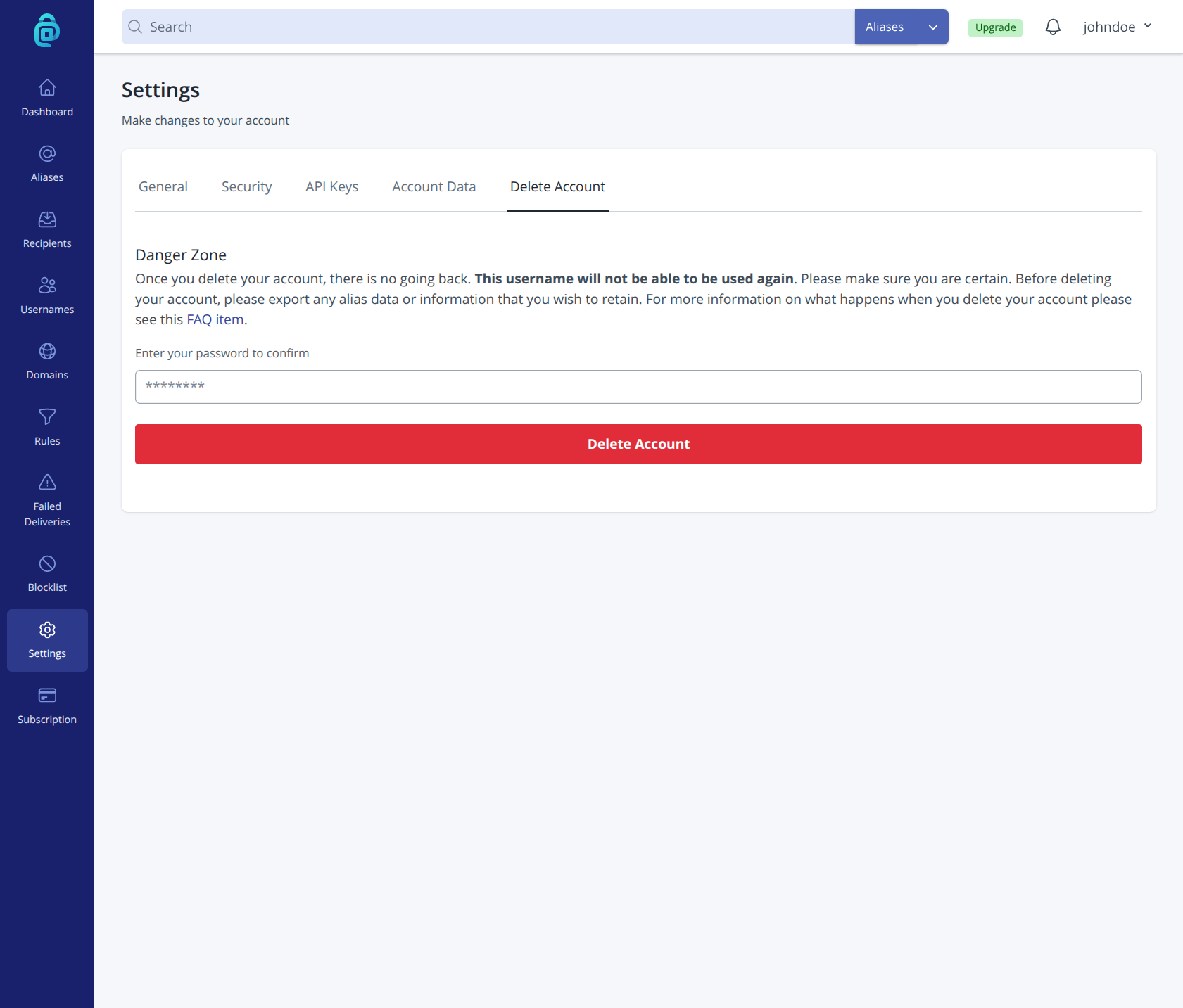
Warning: Account deletion is permanent. You cannot undo it or recover your aliases, recipients, or settings. Export your data first if you might need it later.
What happens to my data when I delete my account?
When you delete your account, the following happens:
- Recipients - Your recipients, including any unconfirmed email changes, are deleted from the database, and any PGP keys are removed.
- Aliases on shared domains - All of your aliases that use a shared domain (e.g.
@anonaddy.me) are stripped of your data and soft deleted from the database, and are no longer linked to you. The address is kept to prevent any chance of another user generating the same alias in the future. - Other aliases - All of your other aliases are deleted from the database.
- Custom domains, rules, labels and blocklist - Your custom domains, rules, labels and blocklist entries are deleted from the database.
- Failed deliveries - Your failed deliveries and any stored copies of those emails are deleted.
- Your user details - Your user details and API keys are deleted from the database.
- Usernames - Your username and any additional usernames that you created are encrypted and added to a table in the database. This is to prevent anybody signing up with the same username in the future.
- Subscription - Your subscription information is deleted from the database. Your saved payment methods are removed from Stripe, and Stripe keeps its own customer and payment records.
- Vouchers, perks and bandwidth resets - These records are kept but are no longer linked to you.
- Delivery records - Records used for handling bounces are removed automatically within 7 days.
If you need a record of your aliases or settings, export your data before deleting.
Can a deleted account be restored?
No. Once your account is deleted, it cannot be restored. Your username and any additional usernames cannot be used to sign up again on addy.io.
If you change your mind after deleting, you would need to create a new account and set up your aliases and recipients again. There is no way to merge or recover an old deleted account. If you are unsure, export your data and consider deactivating or deleting individual aliases instead of closing the whole account.