
The display from name (or "from name") is the name that appears in the From field when you send or reply using an alias, e.g. "John Smith" in John Smith <alias@example.com>. You can set a different display name for each alias so recipients see a friendly or descriptive name instead of only the alias address. This article explains how to update it on the web and in the mobile app.
Updating the from name in the web application
- Log in and go to Aliases in the navigation bar.
- Open the alias you want to change (click Edit on the right-hand side of the table).
- Find the Alias From name field (the one that controls the name shown when sending or replying).
- Enter the name you want recipients to see (e.g. "John" or "Jane").
- Save. Future emails sent or replied from this alias will show the new name.
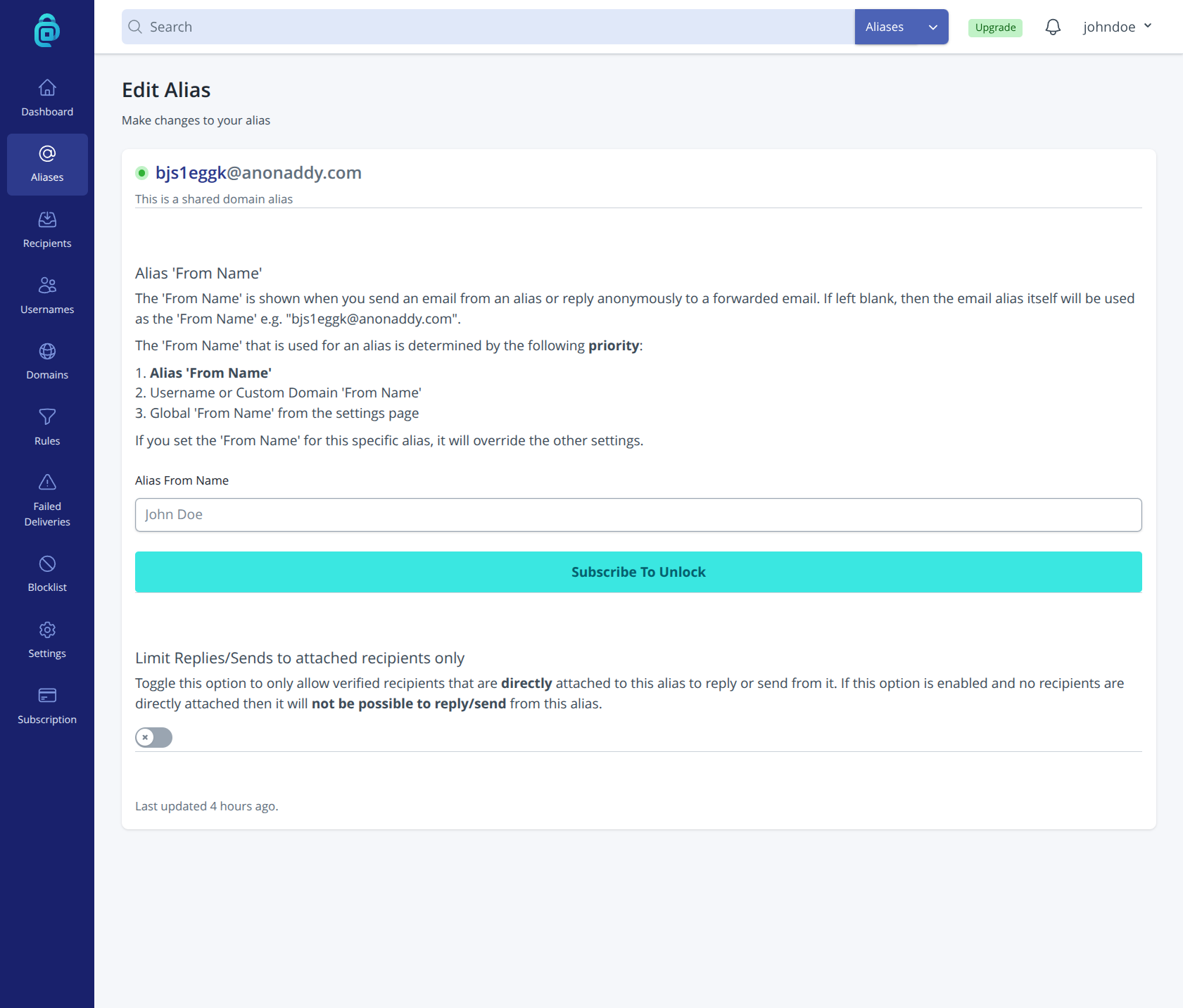
Changing the alias "From Name" requires a paid subscription. You can leave the field blank to show only the alias email address.
Updating the from name in the mobile app
- Open the addy.io mobile app and sign in.
- Go to Aliases and open the alias you want to edit.
- Find the option to edit the From name.
- Enter the new name and save. The change applies to both the app and the web application; aliases share the same settings everywhere.