
You can manage your addy.io subscription from the subscription page in your account: update your payment method, upgrade or downgrade your plan, or cancel. How you do each of these depends on how you pay: card/PayPal (Stripe), cryptocurrency, Apple App Store or Google Play. This article gives an overview; follow the links for payment-specific steps.
If you are on a Duo or Family plan (or are a member of one), see Duo and Family plans for inviting people, managing seats, leaving, or removing members. Owners manage billing here; seats are managed on the family plan page.
Where to manage your subscription
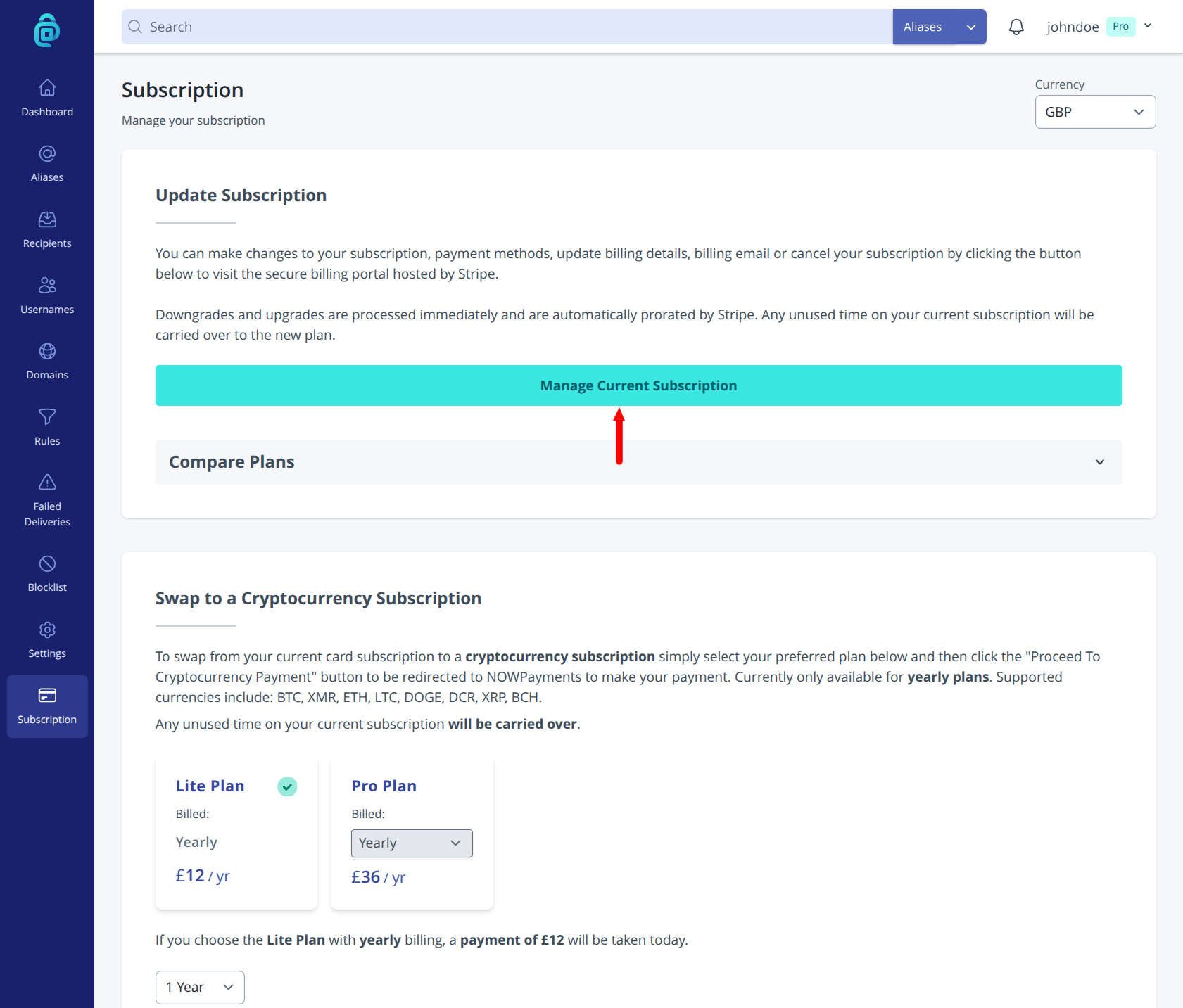
- Log in and go to Subscription in the navigation menu (or open the subscription page directly).
- Click on the Manage Current Subscription button to be redirected to Stripe billing portal.
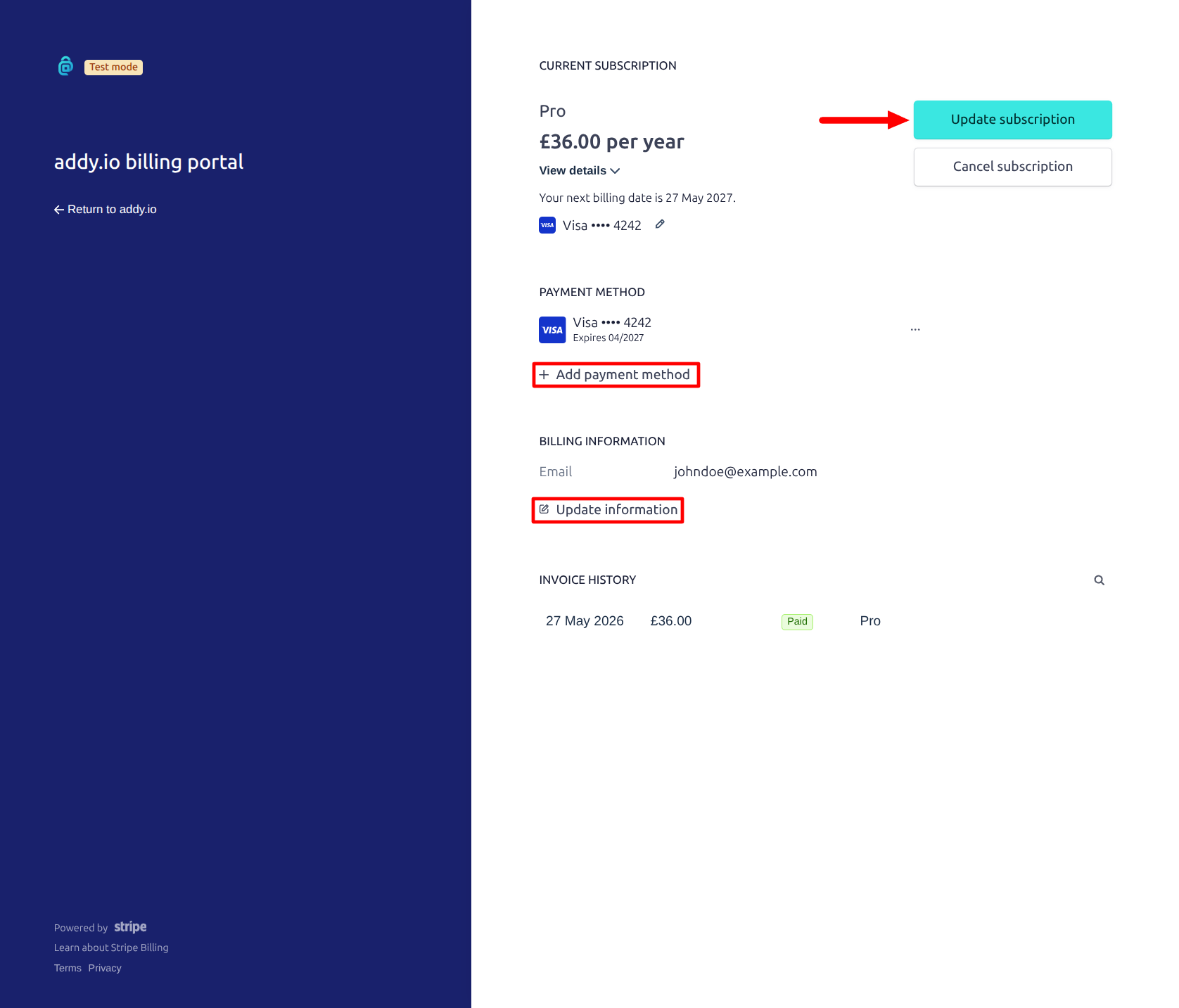
- You will see your current plan, next billing date (if applicable) and options to change payment, plan or cancel.
Updating your payment method
- Card or PayPal - Use the Add payment method option in the Stripe billing portal shown above. Your subscription continues with the new method.
- Cryptocurrency - Renewal is manual or via a new payment when the current period ends. Check the subscription page or cryptocurrency article for how to pay for the next period.
- App Store or Google Play - Payment is managed in Apple or Google's billing settings, not in addy.io. See Subscribing through the Apple App Store or Subscribing through the Google Play Store for updating the payment method there.
Updating your billing email
If you pay with card or PayPal, Stripe uses a billing email for payment receipts, failed payment notices, and other billing notifications. This can be an alias and does not have to be the same as your addy.io recipient address.
To change it, open the Stripe billing portal with Manage Current Subscription (as above), then update the email under your billing details. Future receipts and Stripe notifications will go to the new address.
This only applies to Stripe (card/PayPal) subscriptions. Cryptocurrency, App Store and Play Store billing emails are handled by those providers, not through the addy.io Stripe portal.
Upgrading
To move to a higher plan (e.g. Lite to Pro), click Update subscription in the Stripe billing portal shown above. You will be charged a prorated amount (card/PayPal) and only pay the difference. For App Store or Play, upgrade via the in-app subscription options in the mobile app.
Downgrading
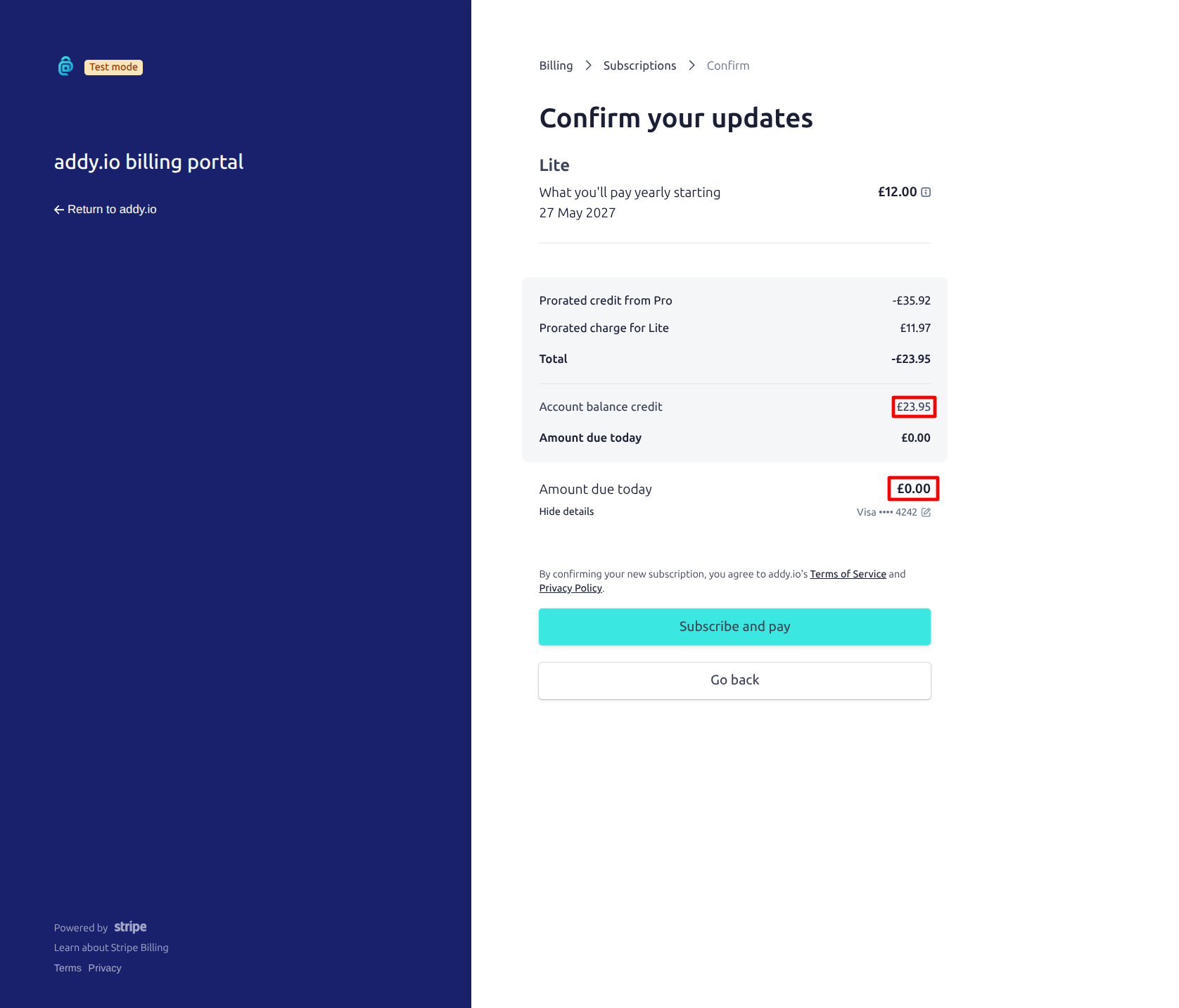
To move to a lower plan (e.g. Pro to Lite), use Update subscription in the Stripe billing portal shown above. The change takes effect immediately and your account will be downgraded to Lite. Any usage over the Lite plan limits will be restricted. You are charged a prorated amount and any unused time will be used as credit (as shown below). For app-store subscriptions, downgrade through Apple or Google subscription settings.
Cancelling
- Card or PayPal - Use Cancel subscription in the Stripe billing portal shown above. The subscription will stay active until the end of the billing period; after that, your account will revert to the free tier and be downgraded. The only alias domains available on the Free plan are
anonaddy.meandanonaddy.com. - Cryptocurrency - No recurring charge; the subscription simply expires at the end of the paid period unless you pay again or redeem a voucher.
- App Store or Google Play - Cancel in your device’s subscription settings (Apple ID or Google Play subscriptions). The subscription remains active until the end of the current period.
After cancelling, you can resubscribe at any time via card/PayPal, cryptocurrency, voucher or the app stores.