
You can subscribe to addy.io through the Google Play Store when using the addy.io mobile app on an Android device. Payment and renewal are handled by Google; your Google account is charged and you manage the subscription (update payment method, upgrade, downgrade, cancel) in Google Play > Pyaments and subscriptions. This article explains how to subscribe via the Play Store and how to manage that subscription.
Duo and Family plans are not currently available through the Play Store. To share Pro with other accounts, subscribe on the web with card or PayPal or cryptocurrency (yearly) and see Duo and Family plans.
How to subscribe via the Google Play Store
- Install the addy.io app from the Play Store and login to your account.
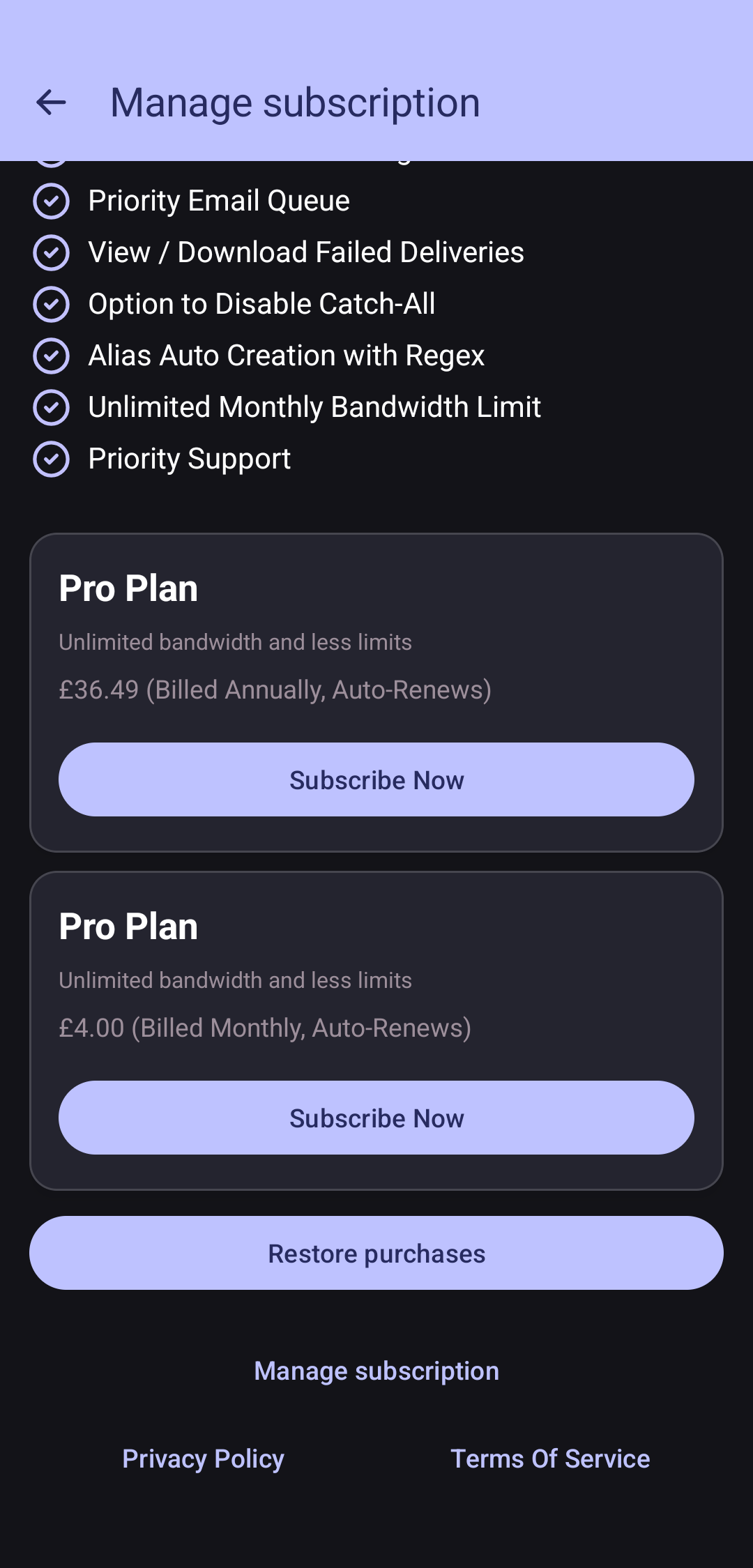
- In the app, click on the icon in the top right showing the first two letters of your username (e.g. JO for the username 'johndoe') then click Manage subscription. Choose the plan you want (e.g. Lite or Pro) and tap Subscribe Now.
- Complete the purchase with your Google account. Google will charge you according to the plan and billing period (e.g. monthly or yearly). Your addy.io account is upgraded as soon as the purchase completes.
Updating your payment method
Payment is managed by Google. On your device or at play.google.com, open Google Play > Payments and subscriptions > Payment methods, update the payment method (card or other option linked to your Google account).
Upgrading
To move to a higher plan (e.g. Lite > Pro), open the addy.io app and use the in-app upgrade option, or manage the subscription in Google Play > Payments and subscriptions and change the plan there. You may be charged a prorated amount by Google.
Downgrading
To move to a lower plan, go to Google Play > Subscriptions, select addy.io, and choose the lower plan. The change typically takes effect at the end of the current billing period.
Cancelling
To cancel your addy.io subscription via Google: Google Play > Payments and subscriptions > Subscriptions > addy.io > Cancel subscription. The subscription remains active until the end of the period you have already paid for; after that, your account may revert to the free tier. You can resubscribe later through the app or via card/PayPal, cryptocurrency or voucher on the web if you prefer.
For a general overview of managing subscriptions, see Managing your subscription.