
As your alias list grows, you can sort and filter it to find specific aliases quickly. You can search by name or address, show only active or inactive aliases, or filter by domain. This article describes the main options on the web application, the mobile app, and the browser extension.
Sorting and filtering aliases on the web application
- Log in and go to Aliases in the navigation bar.
- Search - Use the search box to find aliases by address, description, or other text.
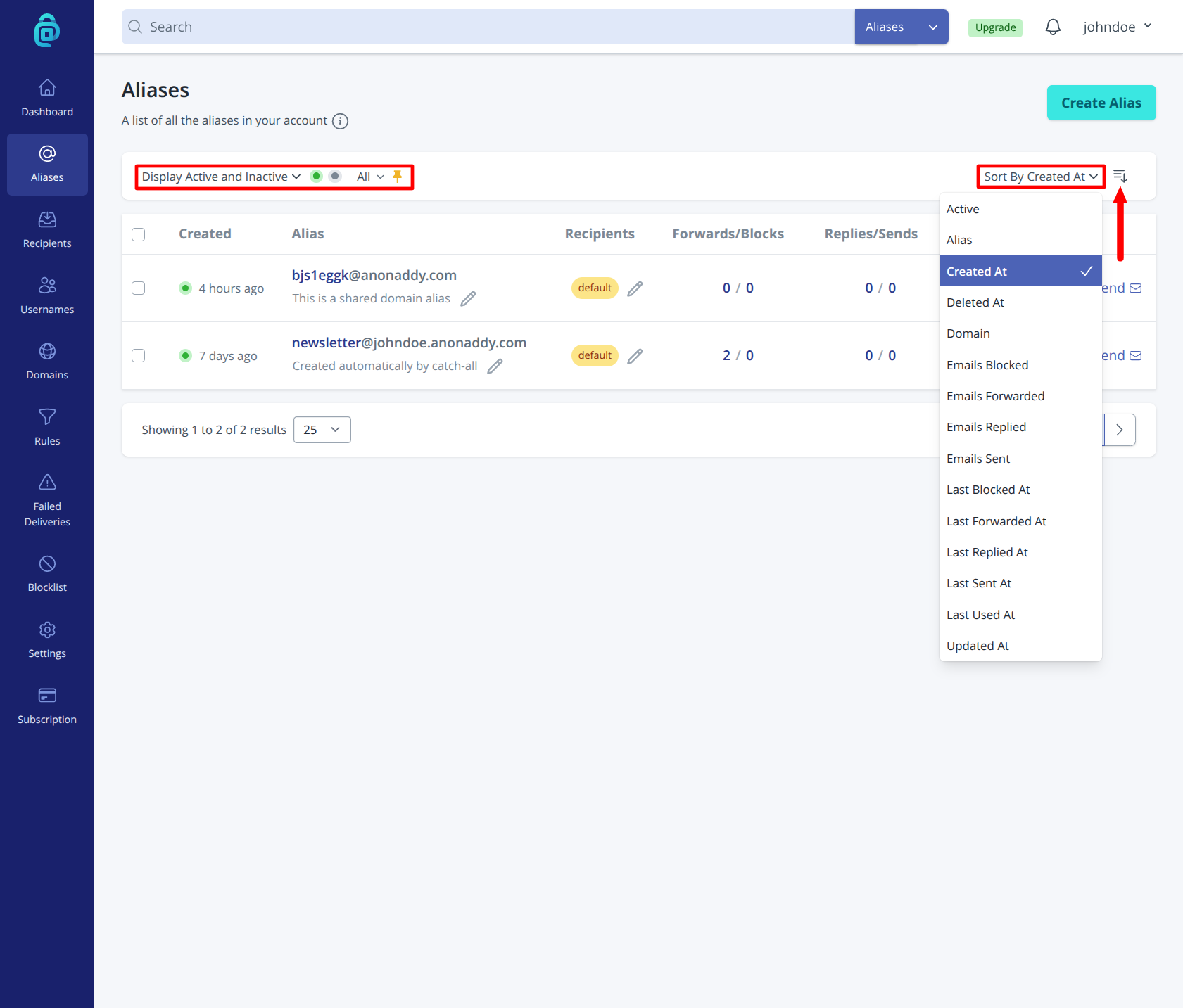
- Filter - Use filter options to narrow the list, for example:
- Active / Inactive / Deleted - Show only active aliases, only deactivated ones, deleted or all.
- Pinned - Show only aliases that have been pinned.
- Sort - Click the "Sort By" options at the top of the table (shown below in the red box) to sort by that value. Click the icon indicated by the red arrow below to change the sort direction to ascending/descending.
Sorting and filtering aliases on the mobile app
- Open the addy.io mobile app and go to Aliases.
- Use the search field to find aliases by address or description.
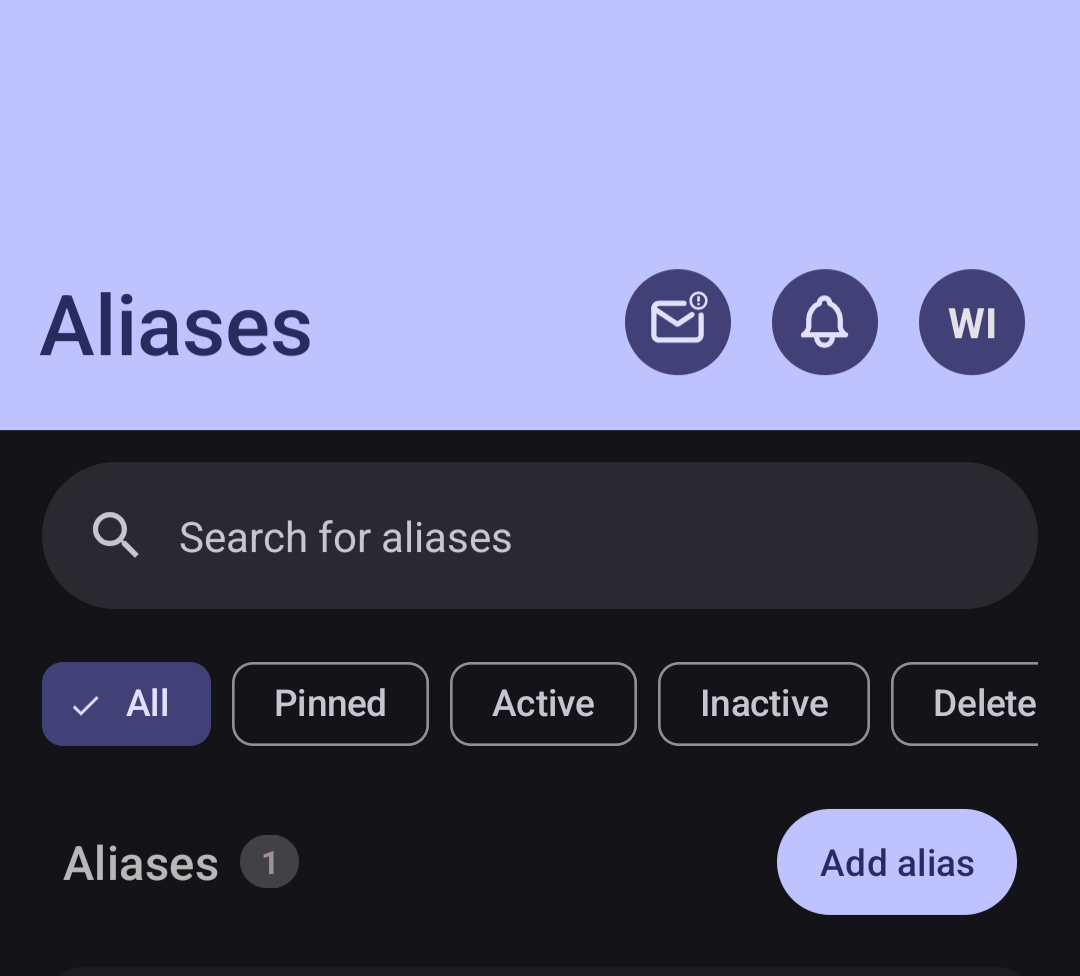
- Use filter options on the alias list, use the custom filter to create your own filter.
Sorting and filtering aliases on the browser extension
- Click the addy.io icon in your browser extension to open the alias list.
- Use the search box to find an alias by address or description.
- The extension has a "Show:" dropdown option allowing you to view "All", "Active", "Deleted" etc.
- You can also change the default sort by and direction in the extension settings.
The extension is best for quick lookup and generating or deactivating an alias; for managing many aliases, the web or mobile app is usually easier.