
The addy.io Help Centre has been refreshed
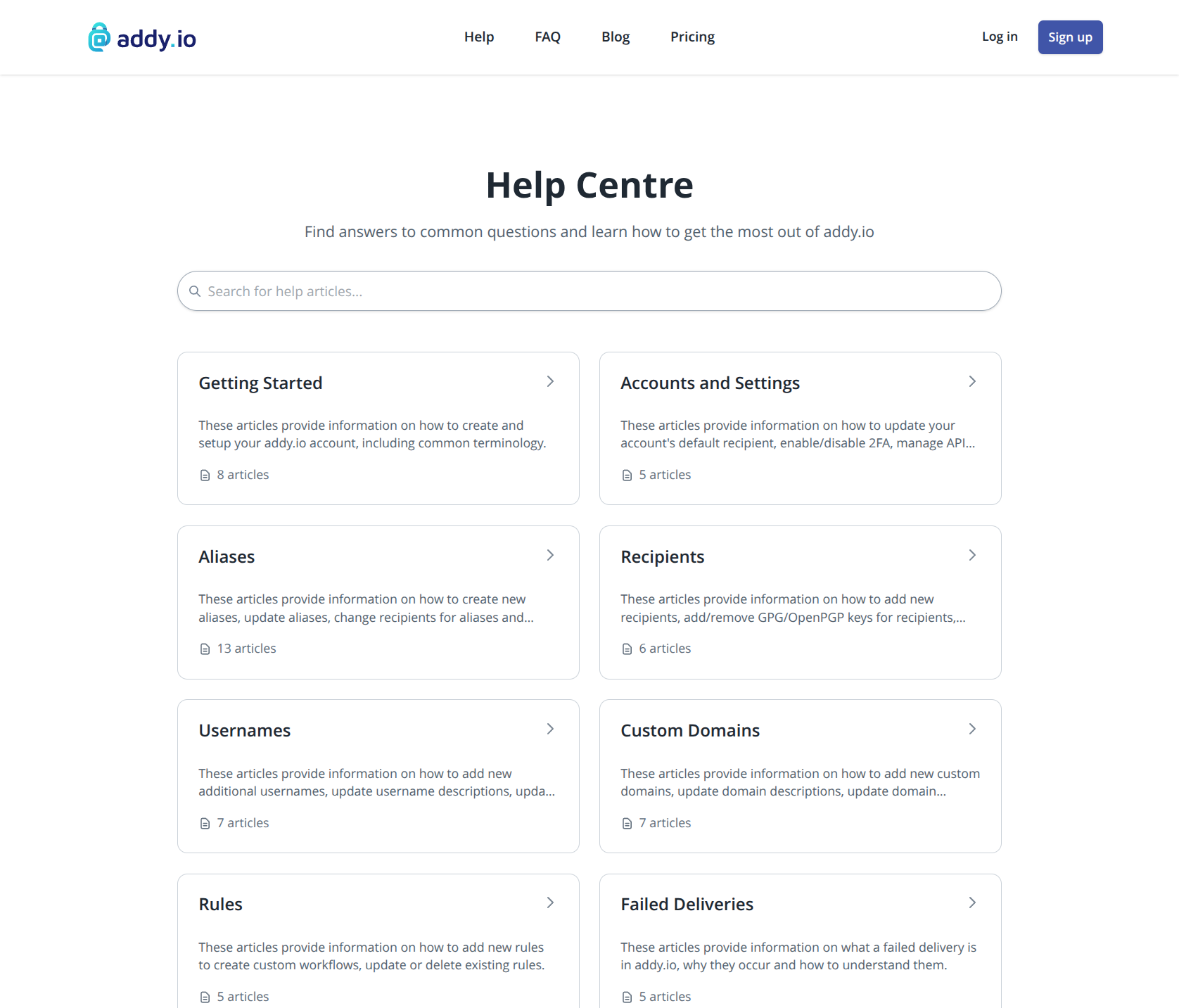
A proper Help Centre for addy.io
Over the years, addy.io has gained a lot of features: custom domains, reply and send from aliases, rules, blocklist, failed deliveries, official mobile apps, Perks for subscribers, and more. The documentation had grown in bits and pieces, and it was becoming harder to find clear answers when you needed them.
I'm pleased to say the Help Centre has been refreshed from the ground up. It is now the main place for step-by-step guides on how to use addy.io, whilst the FAQ has been trimmed back to shorter policy, limits, and trust questions.
What's new?
Search across all articles
The Help Centre home page includes search so you can jump straight to a guide by topic, for example "catch-all", "DMARC", or "failed delivery", without hunting through menus.
Organised by category
Articles are grouped into 11 categories, each with a short description and article count:
- Getting started - account setup, terminology, browser extension, mobile apps, and your first alias
- Aliases - creating aliases, replying and sending, encryption, sorting, and troubleshooting
- Domains - custom domains and subdomains, DNS, catch-all, and display names
- Recipients - adding recipients, defaults, encryption, and reply/send permissions
- Usernames - additional usernames, catch-all, and login options
- Subscriptions - card, crypto, App Store, Play Store, and vouchers
- Accounts and settings - general and security settings, API keys, import/export, and deleting your account
- Rules - automating what happens to incoming mail
- Blocklist - blocking unwanted senders
- Failed deliveries - bounces, rejections, quarantine, and how to fix delivery issues
- Report abuse or blocking website - acceptable use and sites that block alias domains
Step-by-step guides with screenshots
There are now 67 help articles, most with screenshots from the current web app so the steps match what you see after logging in at app.addy.io. Topics that were only briefly covered before, such as adding a custom domain, failed deliveries, and reply/send from an alias, have dedicated walkthroughs.
Clearer structure inside each article
Articles use consistent headings and links between related guides, so you can move from a overview (for example What are the different kinds of aliases?) to a specific task (for example Creating new email aliases) without getting lost.
Where to start
If you are new to addy.io, I'd suggest this order:
- Terminology - aliases, recipients, catch-all, and shared vs standard domains
- Creating and testing your first alias - confirm forwarding works
- Navigating the web application - where to find aliases, recipients, domains, and settings
If you are setting up a custom domain, start with Adding a custom domain. If mail is not arriving or is bouncing, see What is a failed delivery and why do they occur? and How can I prevent or reduce failed deliveries?.
FAQ and contact
The FAQ remains for quick answers on things like bandwidth limits, subscriptions, encryption signing, and acceptable use. It is now grouped into sections so it is easier to scan.
If you still cannot find what you need, the Help Centre links to the contact page at the bottom of every category page.
Tip: You may want to bookmark https://addy.io/help/ and use search the next time you have a question, rather than waiting for a reply by email.
Feedback and suggestions
Documentation is never finished. If you spot something unclear, missing, or out of date, please get in touch and let me know. I'm especially interested in which guides helped you and which topics you think should be added next.
If you'd like to hear about future updates, make sure to sign up to the newsletter on the site.
Thank you for using addy.io!